 Firefox
 1 / 7
1 / 7About Aodaliya Font
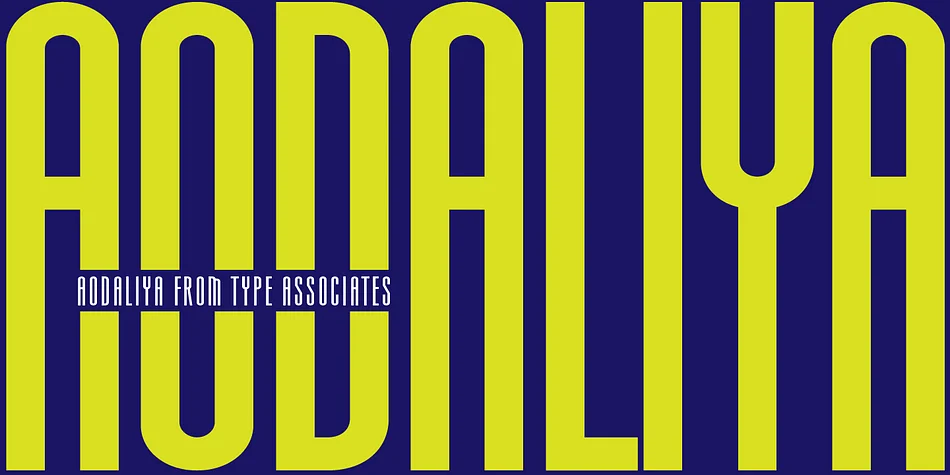
As a practicing graphic designer there have been numerous occasions when I have needed a font that didn’t exist. More often than not the style I was looking for was described as an extra-condensed sans-serif with a contemporary look that was available in a variety of weights. Small caps would be useful, so would a range of numeral styles. And matching italics too, of course. The proportions would consider viewing on hand-held devices, cell phones, remote controllers. And not forgetting that the font would be used in situations which required stacking the lines close. So the overshoots needed to be eliminated – the exaggeration of extremities that are intended to avoid round characters appearing smaller than their more squarish counterparts, often colliding when linespacing is tight. As I refined the typeface, I used it on a few works-in-progress which provided a valuable testing ground proving popular with my clients. Aodaliya comes in 8 weights with italics for all weights, small caps to match lowercase x-height, proportional lining, oldstyle and also small caps figures which can be accessed through the Opentype palette.
Style & Use Cases
- Overall Style
- Eye-catching, Bold
- Use Case
- Headlines, Logos
- Ideal For
- posters, branding, and social media graphics
- Pairs With
- a readable sans or serif for body
How to Install Aodaliya Font
Step-by-step instructions for every platform
- 1Download the Aodaliya font file (.ttf or .otf).
- 2Locate the downloaded file in your Downloads folder.
- 3Right-click the font file.
- 4Select "Install" to install for the current user, or "Install for all users" to make it available system-wide.
- 5Aodaliya is now available in Word, Photoshop, Illustrator, and all other apps.
More by Type Associates
View all →
Browse fonts by theme
Curated collections →Saw a font in a picture? Identify any font from an image with our free Font Finder.
More Display Fonts
Browse all →







What pairs well with Aodaliya Font?
Aodaliya Font is a display font that shines as a display or heading face. Pair it with a clean sans-serif or serif font for body text — the contrast creates a clear hierarchy while the two styles stay balanced and easy to read.




Aodaliya Font
Reviewed by the FontBoxDL team · Updated April 2026