 Firefox
 1 / 5
1 / 5About Antique Map JNL Font
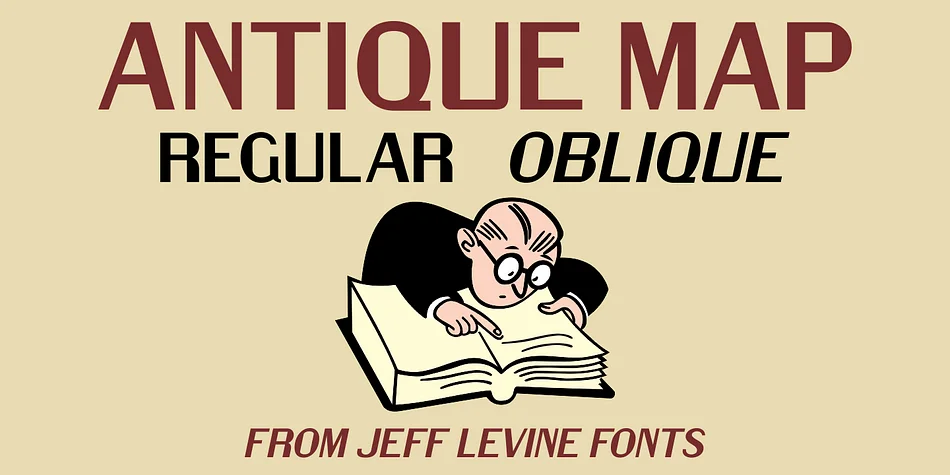
Antique Map JNL by Jeff Levine Fonts captures the spirit of nineteenth-century cartography through a grotesk sans serif inspired by an 1849 map of Lower Dublin Township in Philadelphia. The typeface channels the utilitarian elegance that defined industrial-era typography, bringing that raw, sturdy character to contemporary design work. Available in both regular and oblique versions, it offers designers flexibility for projects demanding authentic vintage styling. The grotesk aesthetic dominated sans serif design from the 1800s straight through the early twentieth century, and this typeface successfully resurrects that distinctive historical period with genuine character.
Heritage brand identities gain considerable gravitas from this typeface's authentic period weight. It performs beautifully across vintage map reproductions, historical society publications, museum exhibition materials, and antique shop signage. Genealogy charts and old-world travel guides take on genuine period character when typeset in this face. Steampunk-inspired graphics, retro poster designs, and period-specific ephemera all communicate with greater authenticity through this grotesk foundation. The oblique version adds directional energy to heading hierarchies and offers designers another layer of visual expression within a single typeface family.
Grab Antique Map JNL on Creative Fabrica to bring authentic cartographic style to your next project.
Style & Use Cases
- Overall Style
- Eye-catching, Bold
- Use Case
- Headlines, Logos
- Ideal For
- posters, branding, and social media graphics
- Pairs With
- a readable sans or serif for body
How to Install Antique Map JNL Font
Step-by-step instructions for every platform
- 1Download the Antique Map JNL font file (.ttf or .otf).
- 2Locate the downloaded file in your Downloads folder.
- 3Right-click the font file.
- 4Select "Install" to install for the current user, or "Install for all users" to make it available system-wide.
- 5Antique Map JNL is now available in Word, Photoshop, Illustrator, and all other apps.
More by Jeff Levine Fonts
View all →



Browse fonts by theme
Curated collections →Saw a font in a picture? Identify any font from an image with our free Font Finder.
More Display Fonts
Browse all →







What pairs well with Antique Map JNL Font?
Antique Map JNL Font is a display font that shines as a display or heading face. Pair it with a clean sans-serif or serif font for body text — the contrast creates a clear hierarchy while the two styles stay balanced and easy to read.




Antique Map JNL Font
Reviewed by the FontBoxDL team · Updated September 2026