 Firefox
 1 / 10
About Ando Font
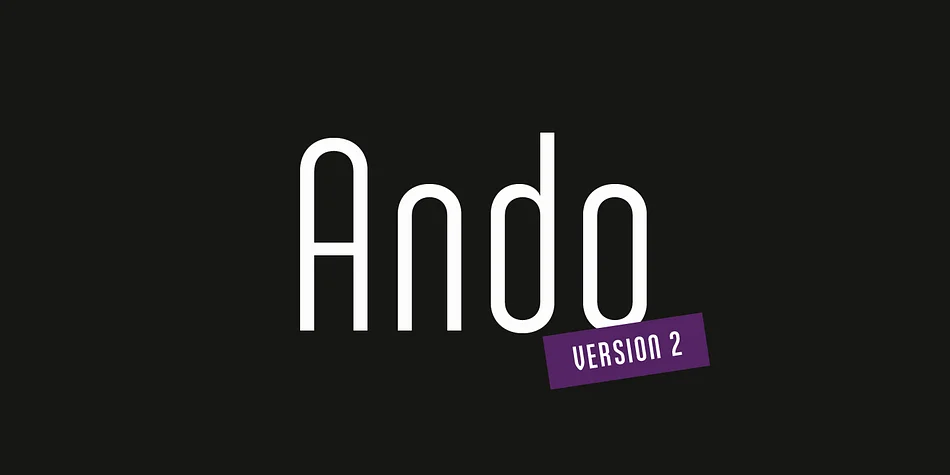
This typeface communicates confidence without shouting, offering elegance through restraint and smart geometric proportions. Ando, created by JCfonts, is a condensed sans serif built on geometric principles and refined with distinctive curves that distinguish it from standard alternatives.
The typeface achieves genuine impact when used at larger scales, and the lighter weights really shine here, letting the smooth geometry take center stage. It's a natural fit for luxury brand identity systems, editorial magazine covers, high-end product packaging, and sophisticated poster campaigns where restraint and precision serve the same goal. Seven weights give you meaningful flexibility, moving from delicate display headlines all the way through to strong logotypes and supporting materials for comprehensive branding.
Underneath the visual elegance sits a geometric foundation with carefully considered details throughout the typeface, supported by comprehensive OpenType features including ligatures, stylistic alternates, tabular figures, and localized forms that make professional typesetting smoother and more refined. The typeface launched in 2011 and received a substantial update in 2020, proving its enduring value across contemporary design work. Pair Ando with a classic serif for body text to balance its geometric strength. Grab it on Creative Fabrica.
Style & Use Cases
- Overall Style
- Eye-catching, Bold
- Use Case
- Headlines, Logos
- Ideal For
- posters, branding, and social media graphics
- Pairs With
- a readable sans or serif for body
How to Install Ando Font
Step-by-step instructions for every platform
- 1Download the Ando font file (.ttf or .otf).
- 2Locate the downloaded file in your Downloads folder.
- 3Right-click the font file.
- 4Select "Install" to install for the current user, or "Install for all users" to make it available system-wide.
- 5Ando is now available in Word, Photoshop, Illustrator, and all other apps.
More by JCfonts
View all →
Browse fonts by theme
Curated collections →Saw a font in a picture? Identify any font from an image with our free Font Finder.
More Display Fonts
Browse all →







What pairs well with Ando Font?
Ando Font is a display font that shines as a display or heading face. Pair it with a clean sans-serif or serif font for body text — the contrast creates a clear hierarchy while the two styles stay balanced and easy to read.




Ando Font
by JCfonts
Reviewed by the FontBoxDL team · Updated September 2026