 Firefox
 1 / 4
1 / 4About Weather Font
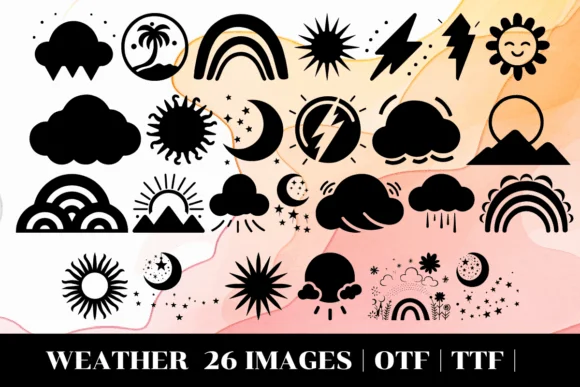
Weather by MOMAT THIRTYONE is a dingbat font that translates meteorological moments into visual symbols. Each letter (A through Z) becomes a different weather icon, from sunny skies and cumulus clouds to thunderstorms and lightning, covering the full spectrum of atmospheric conditions. This makes it particularly well-suited for weather forecasting graphics, children's educational worksheets, seasonal greeting card designs, and nature journal layouts. The set comes in both OTF and TTF formats, so you can use it across most design applications without compatibility headaches or format confusion.
The real strength here is visual consistency. When you're building climate-themed interface elements, gardening app icons, or outdoor-related stationery, having a unified set of weather symbols means your visual language stays coherent throughout your project. The dingbat approach gives you true scalability without losing clarity, whether you're sizing symbols down for mobile mockups or blowing them up for environmental posters and signage. Since each keystroke maps to a distinct weather element, you won't need to hunt through symbol palettes or spend time illustrating individual conditions by hand.
Grab Weather on Creative Fabrica and start working these weather visuals into your next project.
Style & Use Cases
- Overall Style
- Iconographic, Weather
- Use Case
- Icons, Accents
- Ideal For
- ornaments, bullets, and decorative flourishes
- Pairs With
- any text font
How to Install Weather Font
Step-by-step instructions for every platform
- 1Download the Weather font file (.ttf or .otf).
- 2Locate the downloaded file in your Downloads folder.
- 3Right-click the font file.
- 4Select "Install" to install for the current user, or "Install for all users" to make it available system-wide.
- 5Weather is now available in Word, Photoshop, Illustrator, and all other apps.
More by MOMAT THIRTYONE
View all →



Browse fonts by theme
Curated collections →Saw a font in a picture? Identify any font from an image with our free Font Finder.
More Dingbats Fonts
Browse all →







What pairs well with Weather Font?
Weather Font is a versatile dingbats font that works for both headings and body text. Pair it with a contrasting sans-serif or serif font to add visual interest and a clear distinction between titles and body copy.




Weather Font
Reviewed by the FontBoxDL team · Updated July 2026