 Firefox
 1 / 6
1 / 6About Variety Symbols Planner Font
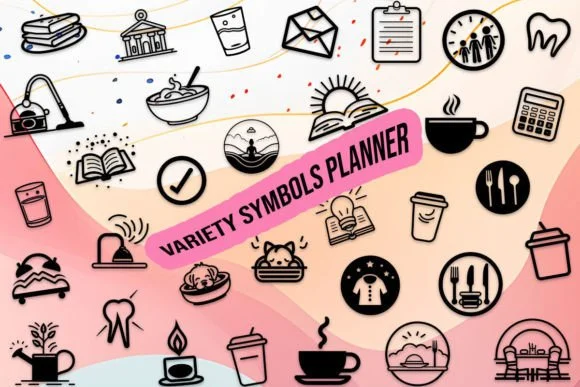
You're designing a bullet journal spread and realize you need custom icons that actually feel intentional and cohesive. Variety Symbols Planner by MOMAT THIRTYONE offers exactly what you're looking for: a dingbat font where every glyph belongs in the same visual family.
The typeface contains 26 uppercase letters, 26 lowercase letters, and numerals 0-9, all functioning as planning symbols rather than traditional letterforms. This setup works beautifully for bullet journal layouts, digital planner templates, productivity organizers, and weekly scheduling spreads. Because all the glyphs share consistent visual weight and proportions, you can mix them with actual text on the same page without anything feeling out of place. That consistency is what saves you time when you're building multiple planner pages and need everything to look like it was meant to work together.
The real strength shows up when you scale these symbols across different sizes. Use them large for section breaks and category headers, or size them down for inline task markers and priority indicators throughout your spreads. Works equally well in print templates, digital design files, and web-based planning tools. Get Variety Symbols Planner on Creative Fabrica and give your planning system the unified visual language it deserves.
Style & Use Cases
- Overall Style
- Iconographic, Planner
- Use Case
- Icons, Accents
- Ideal For
- ornaments, bullets, and decorative flourishes
- Pairs With
- any text font
How to Install Variety Symbols Planner Font
Step-by-step instructions for every platform
- 1Download the Variety Symbols Planner font file (.ttf or .otf).
- 2Locate the downloaded file in your Downloads folder.
- 3Right-click the font file.
- 4Select "Install" to install for the current user, or "Install for all users" to make it available system-wide.
- 5Variety Symbols Planner is now available in Word, Photoshop, Illustrator, and all other apps.
More by MOMAT THIRTYONE
View all →

Browse fonts by theme
Curated collections →Saw a font in a picture? Identify any font from an image with our free Font Finder.
More Dingbats Fonts
Browse all →







What pairs well with Variety Symbols Planner Font?
Variety Symbols Planner Font is a versatile dingbats font that works for both headings and body text. Pair it with a contrasting sans-serif or serif font to add visual interest and a clear distinction between titles and body copy.




Variety Symbols Planner Font
Reviewed by the FontBoxDL team · Updated June 2026