 Firefox
 1 / 7
1 / 7About VIVALA BLACK Font
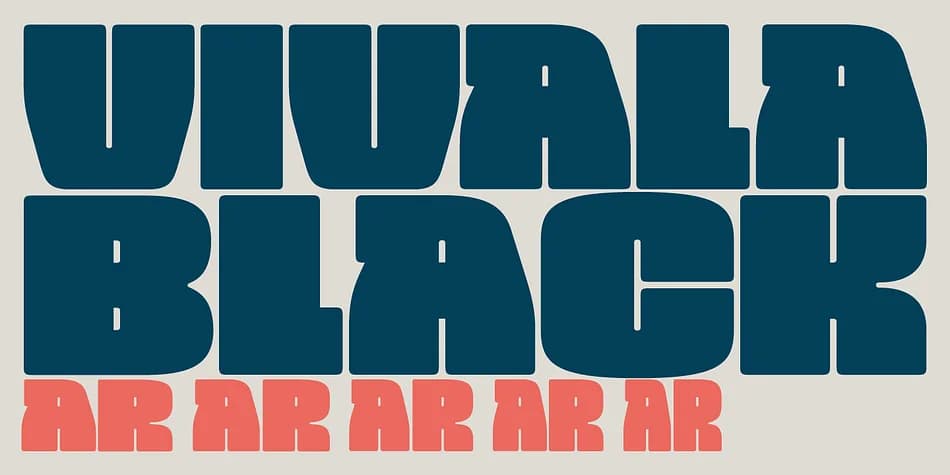
VIVALA BLACK by Johannes Hoffmann is a dense display typeface built for impact at any size. The design prioritizes visual weight and presence, making it ideal for work that needs commanding presence without excessive sizing. The four available widths share compatible proportions, which means you can swap between them across a single layout without reworking spacing or breaking your grid. This kind of flexibility is often overlooked, but it saves real time when you're iterating on hierarchy.
The typeface comes equipped with ligatures, fractions, ordinals, and stylistic alternates that add refinement and control to your work. These features handle the small details while the four weights handle the big moves. You'll find it excels for book jackets that stop readers mid-shelf, magazine mastheads that establish authority instantly, luxury packaging where every character contributes to the overall impression, and event branding that demands substantial visual weight.
The consistent metrics across widths mean you're never forced into a complete redesign when you need to emphasize or soften a section. Grab it on Creative Fabrica and start exploring how it transforms your layouts.
Style & Use Cases
- Overall Style
- Eye-catching, Bold
- Use Case
- Headlines, Logos
- Ideal For
- posters, branding, and social media graphics
- Pairs With
- a readable sans or serif for body
How to Install VIVALA BLACK Font
Step-by-step instructions for every platform
- 1Download the VIVALA BLACK font file (.ttf or .otf).
- 2Locate the downloaded file in your Downloads folder.
- 3Right-click the font file.
- 4Select "Install" to install for the current user, or "Install for all users" to make it available system-wide.
- 5VIVALA BLACK is now available in Word, Photoshop, Illustrator, and all other apps.
More by Johannes Hoffmann
View all →


Browse fonts by theme
Curated collections →Saw a font in a picture? Identify any font from an image with our free Font Finder.
More Display Fonts
Browse all →







What pairs well with VIVALA BLACK Font?
VIVALA BLACK Font is a display font that shines as a display or heading face. Pair it with a clean sans-serif or serif font for body text — the contrast creates a clear hierarchy while the two styles stay balanced and easy to read.



VIVALA BLACK Font
Reviewed by the FontBoxDL team · Updated September 2026