 Firefox
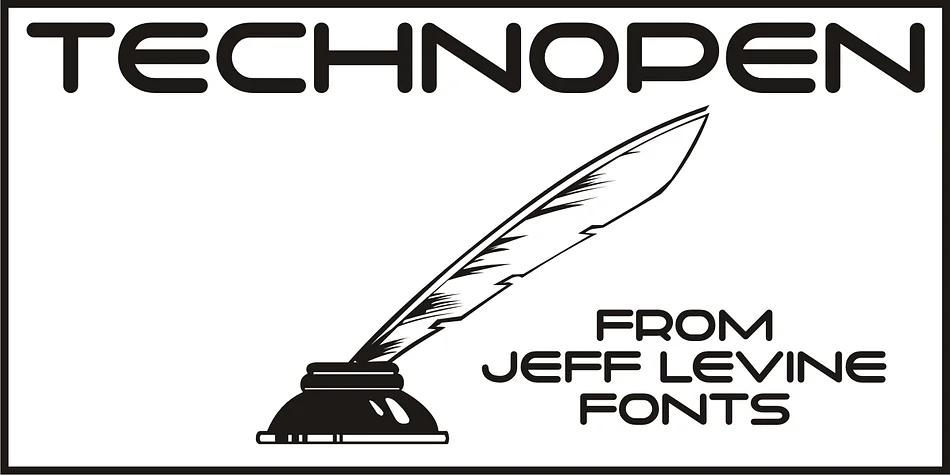
About TECHNOPEN JNL Font
At first glance, the lettering style of Technopen JNL seems to emulate the computer-age fonts of the 1980s. In actuality, this font is derived from an alphabet sample found in an instructional booklet for the Esterbrook Drawlet Pens.
The Drawlet line was Esterbrook’s answer to the iconic Speedball pen points sold through their chief competitor, the Hunt Pen Manufacturing Company.
So, what seems to be late 20th Century typography is actually from vintage source material. In fact, the entire contents of the instructional booklet were copyright 1929!
A few minor changes were made to the original A-Z alphabet and additional characters were added. The name Technopen is a shortening of the term ‘technical pen’, which is both a nod to the techno age of the 80s and the technical instruments of the past utilized for drawing and lettering.
Style & Use Cases
- Overall Style
- Eye-catching, Bold
- Use Case
- Headlines, Logos
- Ideal For
- posters, branding, and social media graphics
- Pairs With
- a readable sans or serif for body
How to Install TECHNOPEN JNL Font
Step-by-step instructions for every platform
- 1Download the TECHNOPEN JNL font file (.ttf or .otf).
- 2Locate the downloaded file in your Downloads folder.
- 3Right-click the font file.
- 4Select "Install" to install for the current user, or "Install for all users" to make it available system-wide.
- 5TECHNOPEN JNL is now available in Word, Photoshop, Illustrator, and all other apps.
More by Jeff Levine Fonts
View all →
Browse fonts by theme
Curated collections →Saw a font in a picture? Identify any font from an image with our free Font Finder.
More Display Fonts
Browse all →







What pairs well with TECHNOPEN JNL Font?
TECHNOPEN JNL Font is a display font that shines as a display or heading face. Pair it with a clean sans-serif or serif font for body text — the contrast creates a clear hierarchy while the two styles stay balanced and easy to read.




TECHNOPEN JNL Font
Reviewed by the FontBoxDL team · Updated April 2026