 Firefox
 1 / 3
1 / 3Loading font…
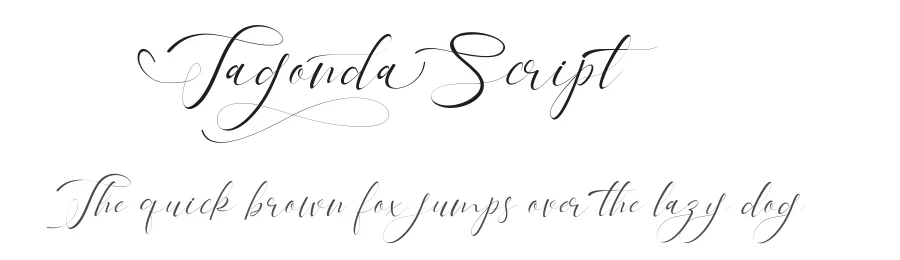
About Tagonda Script Font
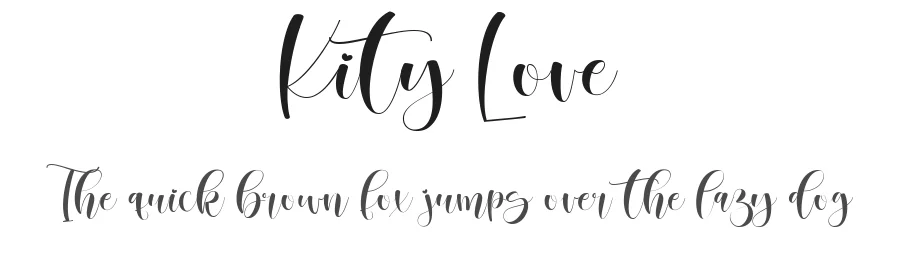
Tagonda Script by Gilar Studio is a display script that brings movement and personality to any project needing typographic emphasis and visual warmth. The flowing, hand-drawn character of this Regular-weight typeface balances elegance with approachability, reading more personal than mechanical. It feels like skilled handwriting rendered as a typeface, which works powerfully in its favor when visual authenticity and emotional connection matter. Unlike utility typefaces designed around neutral efficiency, Tagonda Script prioritizes impact and visual personality. It's the kind of typeface you reach for when you want type to communicate feeling and character, not simply pass along information.
What makes this script particularly valuable is its extensive language support spanning 203+ languages built on Latin foundations. This opens up multilingual and international projects where designers typically have to compromise either on personality or on consistency, but with Tagonda Script they don't have to choose. Wedding invitation suites, boutique product labels, restaurant menus, and event posters maintain visual unity across regions and cultures. The typeface performs best at generous display sizes, where breathing room and scale allow its hand-drawn qualities to register fully and capture attention. A free demo version is available for personal use on our page, while the full commercial license is available on Creative Fabrica.
Style & Use Cases
- Overall Style
- Eye-catching, Bold
- Use Case
- Headlines, Logos
- Ideal For
- posters, branding, and social media graphics
- Pairs With
- a readable sans or serif for body
Tagonda Script Specifications
| Font Family | Tagonda |
| Style | Regular |
| Full Name | Tagonda |
| Version | 1.00 |
| Weight | 400 (Regular) |
| Glyph Count | 201 glyphs |
| PostScript Name | Tagonda |
| Designer | Gilar Studio |
| Format | TTF (TrueType) |
| File Size | 74.7 KB |
OpenType Features
Tagonda Script ships with 2 OpenType features you can switch on in apps that support them (Illustrator, InDesign, Affinity, Figma, CSS font-feature-settings).
- Standard ligatures
- Stylistic alternates
Languages Supported
Tagonda Script supports 203 languages.
How to Install Tagonda Script Font
Step-by-step instructions for every platform
- 1Download the Tagonda Script font file (.ttf or .otf).
- 2Locate the downloaded file in your Downloads folder.
- 3Right-click the font file.
- 4Select "Install" to install for the current user, or "Install for all users" to make it available system-wide.
- 5Tagonda Script is now available in Word, Photoshop, Illustrator, and all other apps.
More by Gilar Studio
View all →
Browse fonts by theme
Curated collections →Saw a font in a picture? Identify any font from an image with our free Font Finder.
More Display Fonts
Browse all →







What pairs well with Tagonda Script Font?
Tagonda Script Font is a display font that shines as a display or heading face. Pair it with a clean sans-serif or serif font for body text — the contrast creates a clear hierarchy while the two styles stay balanced and easy to read.




Tagonda Script Font
by Gilar Studio
Reviewed by the FontBoxDL team · Updated August 2026