 Firefox
About SCHOOL PROJECT JNL Font
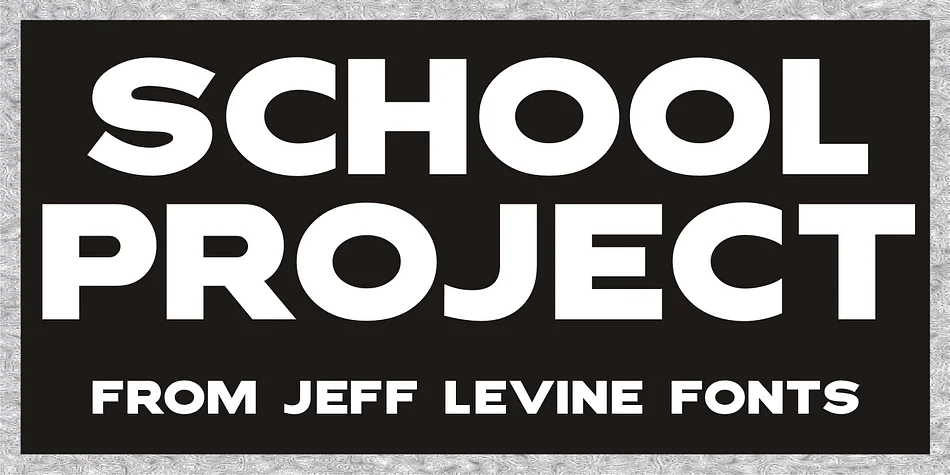
SCHOOL PROJECT JNL by Jeff Levine Fonts is a display typeface rooted in vintage DIY craftsmanship, inspired by the E-Z Letter Stencil Company's beloved Quik Stik system of self-adhesive cardboard letters. Those letters were a staple of school hallways and home bulletin boards throughout the 1960s and 70s, though their rubber cement adhesive had one notorious weakness: the weight of the cardboard itself would pull the letters right off their surfaces, especially on anything taller than a standard classroom poster.
This typeface captures that nostalgic, hand-assembled quality without the adhesion problems that plagued the original product. It excels for school project displays, retro classroom wall signage, DIY craft project headers, and bulletin board design layouts that need authentic vintage charm. The geometric letterforms read cleanly at display sizes while maintaining that honest, earnest stencil-cut character that feels like genuine patchwork handiwork.
For scrapbook pages with retro flair, hand-assembled event announcements, or any project craving the homemade spirit of a 1970s craft room, SCHOOL PROJECT JNL delivers authenticity without the frustration. Grab it from Creative Fabrica and start building designs with genuine vintage energy.
Style & Use Cases
- Overall Style
- Eye-catching, Bold
- Use Case
- Headlines, Logos
- Ideal For
- posters, branding, and social media graphics
- Pairs With
- a readable sans or serif for body
How to Install SCHOOL PROJECT JNL Font
Step-by-step instructions for every platform
- 1Download the SCHOOL PROJECT JNL font file (.ttf or .otf).
- 2Locate the downloaded file in your Downloads folder.
- 3Right-click the font file.
- 4Select "Install" to install for the current user, or "Install for all users" to make it available system-wide.
- 5SCHOOL PROJECT JNL is now available in Word, Photoshop, Illustrator, and all other apps.
More by Jeff Levine Fonts
View all →



Browse fonts by theme
Curated collections →Saw a font in a picture? Identify any font from an image with our free Font Finder.
More Display Fonts
Browse all →







What pairs well with SCHOOL PROJECT JNL Font?
SCHOOL PROJECT JNL Font is a display font that shines as a display or heading face. Pair it with a clean sans-serif or serif font for body text — the contrast creates a clear hierarchy while the two styles stay balanced and easy to read.




SCHOOL PROJECT JNL Font
Reviewed by the FontBoxDL team · Updated October 2026