
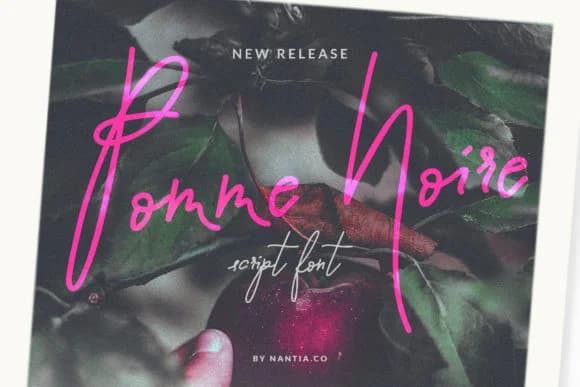
 1 / 8
1 / 8About Pomme Noir Font
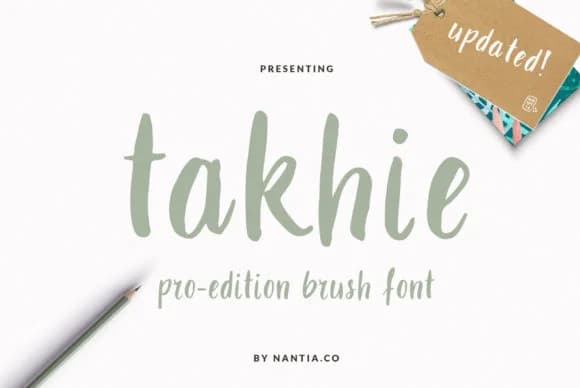
Pomme Noir by nantia is a light, elegant script font that brings genuine handwritten character to your designs. The delicate letterforms make it particularly strong for wedding invitation suites, intimate restaurant menus, personalized greeting cards, and hand-lettered journal covers where that made-by-hand aesthetic really matters. It also works beautifully for small-batch product labels and boutique branding projects where clients want authenticity without losing professional polish.
What sets this script apart is its genuine restraint. There's careful intention in how the letters breathe and space themselves, which means you're never fighting to read the words or stumbling over unnecessary flourishes. That control creates flexibility for branding work where personality counts as much as clarity. Scripts like this are uncommon because it's hard to achieve both warmth and restraint in the same typeface. It's the kind of font that feels thoughtful rather than fussy, which changes how a design lands.
If you're building identities around an approachable, human-made aesthetic or working across small-run projects that need authentic character, Pomme Noir belongs in your collection. You'll find it works equally well for luxury packaging and personal stationery, which marks a truly versatile script. Get it on Creative Fabrica.
Style & Use Cases
- Overall Style
- Elegant, Flowing, Pomme Noir
- Use Case
- Invitations, Branding
- Ideal For
- wedding stationery, greeting cards, and signatures
- Pairs With
- a simple uppercase sans
How to Install Pomme Noir Font Font
Step-by-step instructions for every platform
- 1Download the Pomme Noir Font font file (.ttf or .otf).
- 2Locate the downloaded file in your Downloads folder.
- 3Right-click the font file.
- 4Select "Install" to install for the current user, or "Install for all users" to make it available system-wide.
- 5Pomme Noir Font is now available in Word, Photoshop, Illustrator, and all other apps.
More Script Handwritten Fonts
Browse all →







What pairs well with Pomme Noir Font?
Pomme Noir Font is a script font that shines as a display or heading face. Pair it with a clean sans-serif or serif font for body text — the contrast creates a clear hierarchy while the two styles stay balanced and easy to read.



Pomme Noir Font
by nantia
Reviewed by the FontBoxDL team · Updated August 2026