 Firefox
 1 / 8
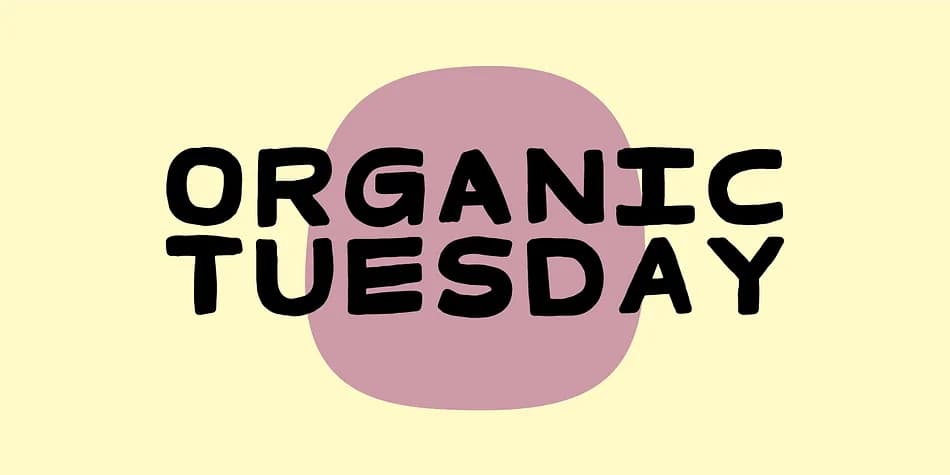
1 / 8About Organic Tuesday Font
Picture a corner bistro's handwritten menu on kraft paper, or artisanal bakery labels that catch eyes at farmer's markets. That's where Organic Tuesday, a display font by Bogstav, really lives. This typeface pairs structured, monospaced letterforms with an unpretentious, almost handwritten warmth. It doesn't strain to be precious or polished, instead channeling the honest, slightly quirky character you'd find on a vintage diner menu or a small-batch coffee roaster's signage.
This font excels at restaurant menu design and cafe branding, where personality adds authenticity without overshooting into cuteness. Food packaging and artisanal product labels work beautifully with that same casual-but-organized vibe. Organic brand packaging, DIY business signage, and vintage-inspired poster graphics all feel natural in this typeface. The monospaced structure keeps everything readable and consistent, even when your layout gets experimental or unconventional. Small businesses love this look because it reads as thoughtful and handmade without the pretension.
The geometric backbone means the font holds together at any scale, from small product labels to large installation work. You won't need to worry about it feeling too casual or whimsical at size. Find it on Creative Fabrica and bring some honest character to your menu, packaging, and signage work.
Style & Use Cases
- Overall Style
- Eye-catching, Bold
- Use Case
- Headlines, Logos
- Ideal For
- posters, branding, and social media graphics
- Pairs With
- a readable sans or serif for body
How to Install Organic Tuesday Font
Step-by-step instructions for every platform
- 1Download the Organic Tuesday font file (.ttf or .otf).
- 2Locate the downloaded file in your Downloads folder.
- 3Right-click the font file.
- 4Select "Install" to install for the current user, or "Install for all users" to make it available system-wide.
- 5Organic Tuesday is now available in Word, Photoshop, Illustrator, and all other apps.

Browse fonts by theme
Curated collections →Saw a font in a picture? Identify any font from an image with our free Font Finder.
More Display Fonts
Browse all →







What pairs well with Organic Tuesday Font?
Organic Tuesday Font is a display font that shines as a display or heading face. Pair it with a clean sans-serif or serif font for body text — the contrast creates a clear hierarchy while the two styles stay balanced and easy to read.



Organic Tuesday Font
by Bogstav
Reviewed by the FontBoxDL team · Updated June 2026