 Firefox
 1 / 8
1 / 8About Organic Holiday Font
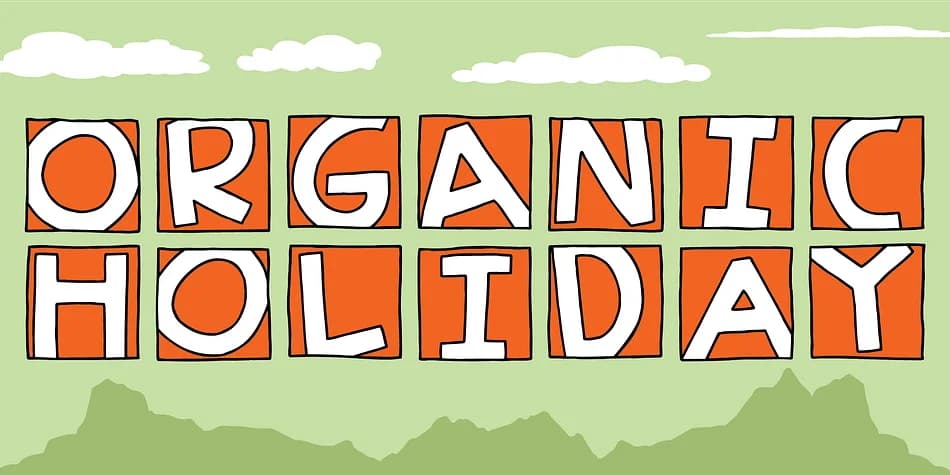
You're designing a batch of holiday greeting cards and want something that feels hand-drawn, not digital. Organic Holiday by Bogstav brings that handmade warmth to your type toolkit with a monospaced design that looks genuinely informal, like someone carved each letter with intention and care.
The real power here is beneath the surface. You get seven distinct versions of every letter, so you can cycle through variations as you type, or dive into Contextual Alternates and let the font handle the switching automatically. With this kind of variation built in, headlines and body text avoid that repetitive, stamped feeling you get with static fonts, making it ideal for holiday greeting cards, eco-friendly product labels, craft market signage, and handmade gift tags where authentic character wins over precision.
At larger sizes, the monospaced letterforms stay readable and interesting, giving the design a confident, casual tone. The consistent width provides control over spacing too, which matters when you're building tight layouts or need predictable line breaks. Find Organic Holiday on Creative Fabrica and bring some genuine handmade character to your next project.
Style & Use Cases
- Overall Style
- Eye-catching, Bold
- Use Case
- Headlines, Logos
- Ideal For
- posters, branding, and social media graphics
- Pairs With
- a readable sans or serif for body
How to Install Organic Holiday Font
Step-by-step instructions for every platform
- 1Download the Organic Holiday font file (.ttf or .otf).
- 2Locate the downloaded file in your Downloads folder.
- 3Right-click the font file.
- 4Select "Install" to install for the current user, or "Install for all users" to make it available system-wide.
- 5Organic Holiday is now available in Word, Photoshop, Illustrator, and all other apps.




Browse fonts by theme
Curated collections →Saw a font in a picture? Identify any font from an image with our free Font Finder.
More Display Fonts
Browse all →







What pairs well with Organic Holiday Font?
Organic Holiday Font is a display font that shines as a display or heading face. Pair it with a clean sans-serif or serif font for body text — the contrast creates a clear hierarchy while the two styles stay balanced and easy to read.



Organic Holiday Font
by Bogstav
Reviewed by the FontBoxDL team · Updated September 2026