 Firefox
 1 / 8
1 / 8About Open TECH Neue Font
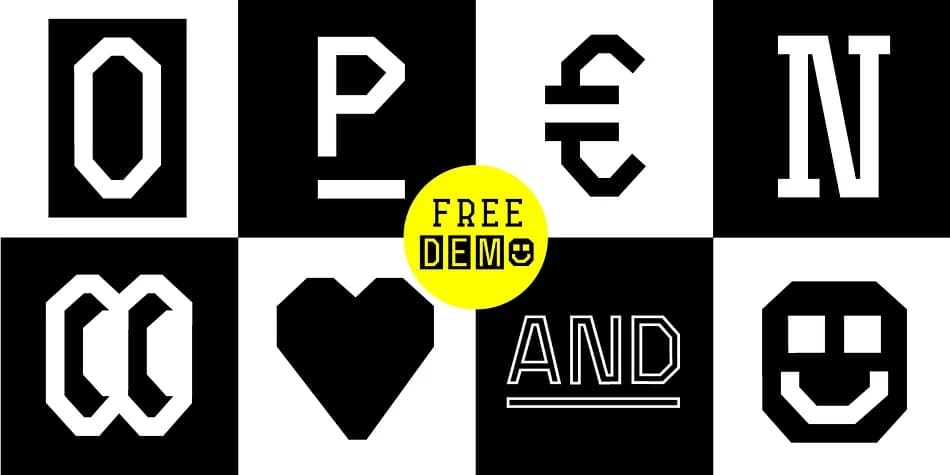
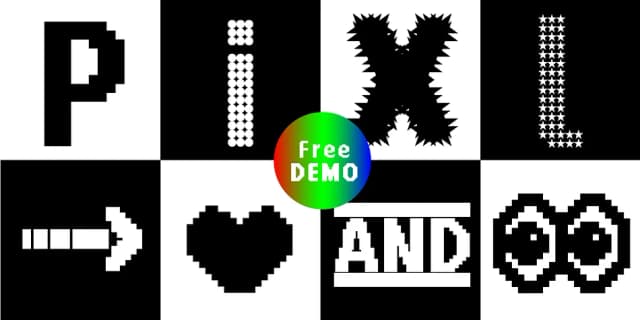
You're designing a luxury packaging system for a new skincare brand, and you need decorative elements that feel intentional, not templated. That's where Open TECH Neue comes in, a comprehensive display typeface created by Manuel Viergutz for Typo Graphic Design between 2018 and 2021. Six distinct styles (Sans Serif, Invert, Outline, Slab Serif, Stretch, and Box Puzzle) plus an icon set give you room to explore across magazine spreads, brand identity systems, event stationery, and DIY craft labels. The real power is in the 1,097 glyphs packed inside: 400-plus decorative extras including arrows, symbols, geometric shapes, and catchwords you can activate through decorative ligatures (type #LOVE for a heart or #SMILE for a smiley) and six stylistic sets. Each alternate changes the feel without breaking the design system.
This is a typeface that rewards clicking through options. The Sans Serif style works cleanly for headlines, while Box Puzzle and Stretch bring visual interest to poster layouts and logotype applications. Best at large sizes where the precision of each glyph detail matters, Open TECH Neue handles both text and image roles that most single fonts can't manage. You can pull it into web projects as a .woff file or use the .otf for print, and there's a free demo version available if you want to test the feel before committing. It's on Creative Fabrica if you're ready to add the full family to your toolkit.
Style & Use Cases
- Overall Style
- Iconographic
- Use Case
- Icons, Accents
- Ideal For
- ornaments, bullets, and decorative flourishes
- Pairs With
- any text font
How to Install Open TECH Neue Font
Step-by-step instructions for every platform
- 1Download the Open TECH Neue font file (.ttf or .otf).
- 2Locate the downloaded file in your Downloads folder.
- 3Right-click the font file.
- 4Select "Install" to install for the current user, or "Install for all users" to make it available system-wide.
- 5Open TECH Neue is now available in Word, Photoshop, Illustrator, and all other apps.
More by Typo Graphic Design
View all →
Browse fonts by theme
Curated collections →Saw a font in a picture? Identify any font from an image with our free Font Finder.
More Dingbats Fonts
Browse all →







What pairs well with Open TECH Neue Font?
Open TECH Neue Font is a versatile dingbats font that works for both headings and body text. Pair it with a contrasting sans-serif or serif font to add visual interest and a clear distinction between titles and body copy.



Open TECH Neue Font
Reviewed by the FontBoxDL team · Updated August 2026