 Firefox
 1 / 5
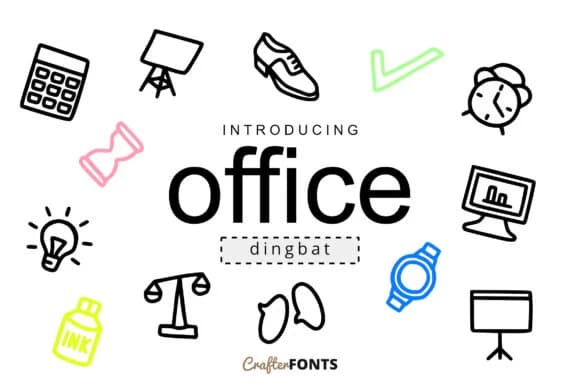
1 / 5About Office Doodle Font
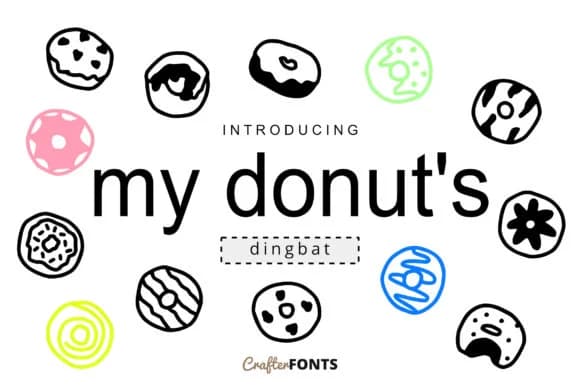
Hand-drawn marks authentically humanize workspace projects in ways that sterile, perfectly aligned symbols simply can't replicate. Office Doodle Font by CrafterFonts is a dingbats collection that functions as both visual punctuation and standalone iconography, creating layouts that feel genuinely made by hand rather than assembled from a template.
The real value shows up in practical applications where utility meets visual personality and warmth. Bullet journal spreads come alive with small icons that naturally guide your eye through daily planning, while digital planner stickers feel more hand-made than generic symbol alternatives. Decorative callouts enhance infographics by adding personality to information-dense sections, and organizational dividers bring subtle structure to printed reports without feeling overly formal or corporate. Presentations gain new energy from custom bullet points that move beyond bland defaults, and workshop materials benefit from the same approachable accent marks. The symbol variety is genuinely comprehensive enough to let you confidently repeat elements at different scales and weights throughout a layout without anything looking thin, tired, or repetitive.
Pair Office Doodle with a clean, neutral sans-serif like Inter or Source Sans, letting the dingbats provide subtle visual texture while keeping your body text comfortable to read. Find it on Creative Fabrica.
Style & Use Cases
- Overall Style
- Iconographic, Office
- Use Case
- Icons, Accents
- Ideal For
- ornaments, bullets, and decorative flourishes
- Pairs With
- any text font
How to Install Office Doodle Font Font
Step-by-step instructions for every platform
- 1Download the Office Doodle Font font file (.ttf or .otf).
- 2Locate the downloaded file in your Downloads folder.
- 3Right-click the font file.
- 4Select "Install" to install for the current user, or "Install for all users" to make it available system-wide.
- 5Office Doodle Font is now available in Word, Photoshop, Illustrator, and all other apps.
More by CrafterFonts
View all →
Browse fonts by theme
Curated collections →Saw a font in a picture? Identify any font from an image with our free Font Finder.
More Dingbats Fonts
Browse all →







What pairs well with Office Doodle Font?
Office Doodle Font is a versatile dingbats font that works for both headings and body text. Pair it with a contrasting sans-serif or serif font to add visual interest and a clear distinction between titles and body copy.



Office Doodle Font
by CrafterFonts
Reviewed by the FontBoxDL team · Updated June 2026