 Firefox
 1 / 5
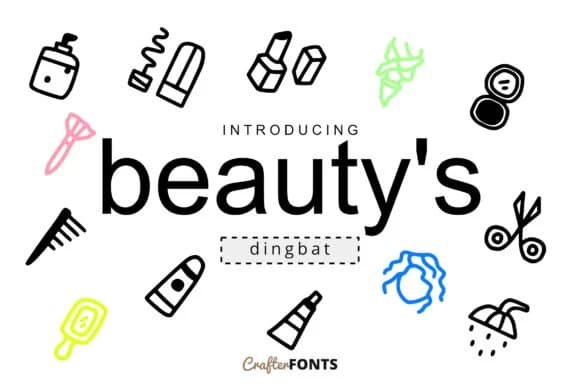
1 / 5About Beauty's Doodle Dingbat Font
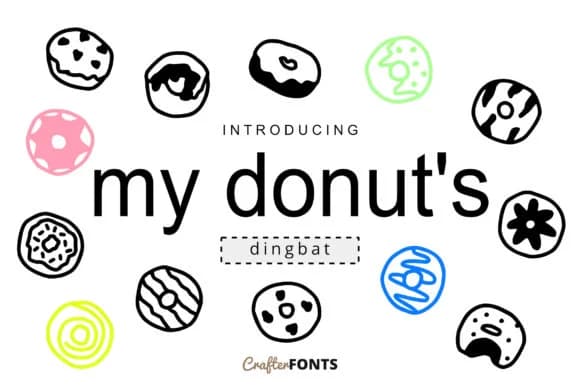
Picture yourself assembling wedding invitation suites or designing identity materials for a boutique lifestyle brand. Beauty's Doodle Dingbat, from CrafterFonts, offers 62 hand-drawn symbols that function as both decorative flourishes and standalone graphical marks. Use this collection for wedding stationery, greeting card designs, Etsy product labels, boutique skincare packaging, DIY craft signage, and printable planner pages. The symbols bring authentic visual interest to these applications without sliding into territory that feels overwrought or precious.
The real value lies in coverage and flexibility. Deploy these marks as logo accents, fill patterns within custom illustrations, decorative dividers between sections, or ornaments that unify your layouts. Each project determines how symbols sit in your design and what role they play. At large display sizes, the hand-drawn character remains clear and legible. Some symbols work as focal points when used solo; others layer naturally within more complex arrangements without competing for attention.
Beyond decoration, this collection serves practical functions across your work. Symbols become visual connectors, decorative breaks between content blocks, and icon substitutes when you need a quick graphic solution. Use them in social media templates, promotional materials, branded lookbooks, or wherever a custom mark would add personality. Find this set on Creative Fabrica and integrate it into your designs.
Style & Use Cases
- Overall Style
- Iconographic, Doodle
- Use Case
- Icons, Accents
- Ideal For
- ornaments, bullets, and decorative flourishes
- Pairs With
- any text font
How to Install Beauty's Doodle Dingbat Font
Step-by-step instructions for every platform
- 1Download the Beauty's Doodle Dingbat font file (.ttf or .otf).
- 2Locate the downloaded file in your Downloads folder.
- 3Right-click the font file.
- 4Select "Install" to install for the current user, or "Install for all users" to make it available system-wide.
- 5Beauty's Doodle Dingbat is now available in Word, Photoshop, Illustrator, and all other apps.
More by CrafterFonts
View all →
Browse fonts by theme
Curated collections →Saw a font in a picture? Identify any font from an image with our free Font Finder.
More Dingbats Fonts
Browse all →







What pairs well with Beauty's Doodle Dingbat Font?
Beauty's Doodle Dingbat Font is a versatile dingbats font that works for both headings and body text. Pair it with a contrasting sans-serif or serif font to add visual interest and a clear distinction between titles and body copy.



Beauty's Doodle Dingbat Font
by CrafterFonts
Reviewed by the FontBoxDL team · Updated July 2026