 Firefox
 1 / 10
About Midnight Tales Font
This font carries a sophisticated, old-world elegance that immediately feels like opening an antique journal at the stroke of midnight. Midnight Tales is a display typeface by VPcreativeshop that masterfully blends vintage sensibility with refined control over every letterform and decorative detail.
The typeface works beautifully across applications where distinctive character drives the design forward. Luxury cosmetics branding and skincare packaging benefit from its classical weight and proportions, while vintage book cover design gains an authentic period feel from its curves and letterforms. Wedding invitation suites lean into its ornamental side for that formal, nostalgic energy, and bookshelf label projects benefit from its readability even at smaller scales. You'll also find it works well for café menus and antique shop signage, both calling out for vintage character. The font includes alternate glyphs, ligatures, and multilingual support, which means you have real flexibility to customize and localize without losing the typeface's core voice and distinct personality.
For strongest results, pair Midnight Tales with a clean serif or understated sans-serif for body text, creating visual hierarchy without conflict. This combination lets the display font command attention where it matters most. Get Midnight Tales on Creative Fabrica and apply that layered, timeless sensibility to your next project.
Style & Use Cases
- Overall Style
- Eye-catching, Bold
- Use Case
- Headlines, Logos
- Ideal For
- posters, branding, and social media graphics
- Pairs With
- a readable sans or serif for body
How to Install Midnight Tales Font
Step-by-step instructions for every platform
- 1Download the Midnight Tales font file (.ttf or .otf).
- 2Locate the downloaded file in your Downloads folder.
- 3Right-click the font file.
- 4Select "Install" to install for the current user, or "Install for all users" to make it available system-wide.
- 5Midnight Tales is now available in Word, Photoshop, Illustrator, and all other apps.
More by VPcreativeshop
View all →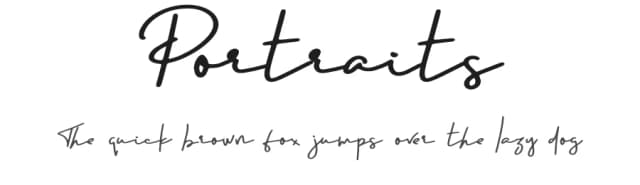
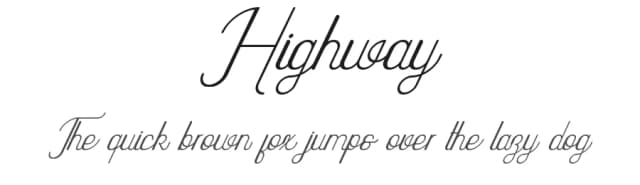
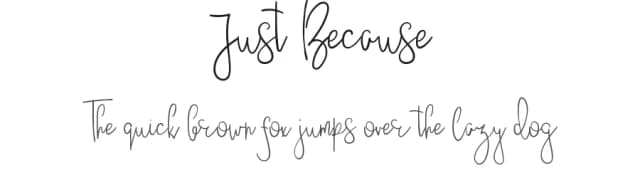
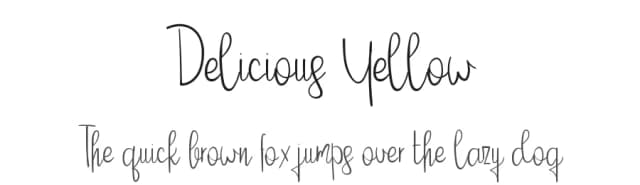
Browse fonts by theme
Curated collections →Saw a font in a picture? Identify any font from an image with our free Font Finder.
More Display Fonts
Browse all →







What pairs well with Midnight Tales Font?
Midnight Tales Font is a display font that shines as a display or heading face. Pair it with a clean sans-serif or serif font for body text — the contrast creates a clear hierarchy while the two styles stay balanced and easy to read.



Midnight Tales Font
Reviewed by the FontBoxDL team · Updated September 2026