 Firefox
 1 / 4
1 / 4About Lucky Cross Font
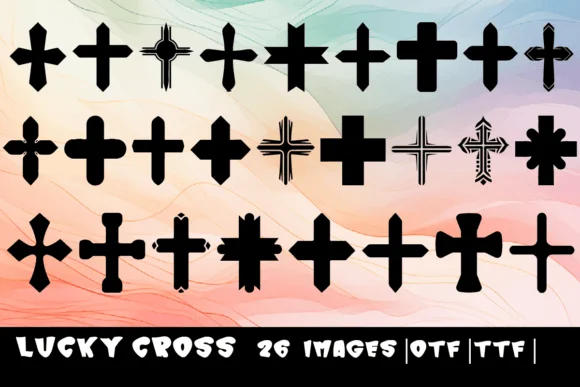
Lucky Cross brings a playful, fortunate spirit to any design it touches. MOMAT THIRTYONE created this dingbat collection to replace each letter from A through Z with its own distinctive cross symbol, rendered by hand with visible character and genuine warmth. The set works beautifully for greeting card embellishments, scrapbooking layouts, fortune cookie label designs, bookplate accents, and wedding stationery borders. There's something about its whimsical personality that makes pieces feel genuinely handmade rather than off-the-shelf.
Available in both OTF and TTF formats, Lucky Cross drops into most design software without friction. Since the symbols read as purely decorative rather than literal text, layering them over photography or nesting them into backgrounds creates subtle texture and visual interest without overwhelming your content. They also serve as elegant dividers between sections. The hand-drawn quality ensures finished pieces carry that authentic personal touch clients crave, particularly when you're designing small-batch craft projects, spiritual artwork, personalized gift packaging, or religious work where actual details shape the mood and message.
Pair it with a neutral sans-serif typeface for any accompanying body text, allowing Lucky Cross to command attention and shape the design's overall personality. Get it on Creative Fabrica and start weaving these symbols into your next project.
Style & Use Cases
- Overall Style
- Iconographic, Lucky
- Use Case
- Icons, Accents
- Ideal For
- ornaments, bullets, and decorative flourishes
- Pairs With
- any text font
How to Install Lucky Cross Font
Step-by-step instructions for every platform
- 1Download the Lucky Cross font file (.ttf or .otf).
- 2Locate the downloaded file in your Downloads folder.
- 3Right-click the font file.
- 4Select "Install" to install for the current user, or "Install for all users" to make it available system-wide.
- 5Lucky Cross is now available in Word, Photoshop, Illustrator, and all other apps.
More by MOMAT THIRTYONE
View all →



Browse fonts by theme
Curated collections →Saw a font in a picture? Identify any font from an image with our free Font Finder.
More Dingbats Fonts
Browse all →







What pairs well with Lucky Cross Font?
Lucky Cross Font is a versatile dingbats font that works for both headings and body text. Pair it with a contrasting sans-serif or serif font to add visual interest and a clear distinction between titles and body copy.




Lucky Cross Font
Reviewed by the FontBoxDL team · Updated August 2026