 Firefox
 1 / 4
1 / 4About Keedy Sans Font
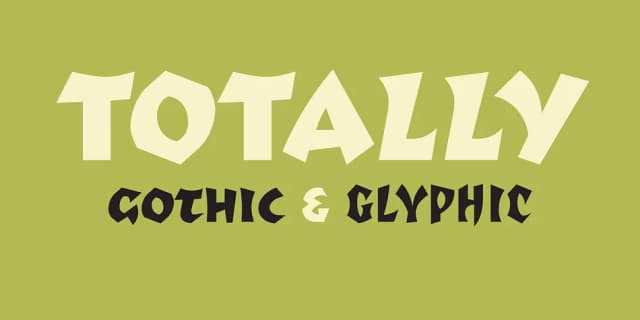
Like many graphic designers of the late 1980s and early 1990s, Keedy was eager to embrace the computer as a tool, but was frustrated by the limited selection of digital typefaces available. Keedy Sans, created in response, was used in layouts for Emigre magazine and embraced by designers everywhere.
Keedy Sans is similar in significance to another important Emigre font, P. Scott Makela’s Dead History, designed to celebrate its experimental nature with letter forms that are intentionally unfinished and incongruous. “Most typefaces are logically systematic; if you see a few letters you can pretty much guess what the rest of the font will look like. I wanted a typeface that would willfully contradict those expectations,” Keedy has said.
In 2011 Keedy Sans was one of 23 digital typefaces included in the permanent architecture and design collection of the Museum of Modern Art in New York.
Style & Use Cases
- Overall Style
- Eye-catching, Bold
- Use Case
- Headlines, Logos
- Ideal For
- posters, branding, and social media graphics
- Pairs With
- a readable sans or serif for body
How to Install Keedy Sans Font
Step-by-step instructions for every platform
- 1Download the Keedy Sans font file (.ttf or .otf).
- 2Locate the downloaded file in your Downloads folder.
- 3Right-click the font file.
- 4Select "Install" to install for the current user, or "Install for all users" to make it available system-wide.
- 5Keedy Sans is now available in Word, Photoshop, Illustrator, and all other apps.
More by Emigre
View all →


Browse fonts by theme
Curated collections →Saw a font in a picture? Identify any font from an image with our free Font Finder.
More Display Fonts
Browse all →







What pairs well with Keedy Sans Font?
Keedy Sans Font is a display font that shines as a display or heading face. Pair it with a clean sans-serif or serif font for body text — the contrast creates a clear hierarchy while the two styles stay balanced and easy to read.



Keedy Sans Font
by Emigre
Reviewed by the FontBoxDL team · Updated April 2026