 Firefox
 1 / 8
1 / 8About Hello Cobwebs Font
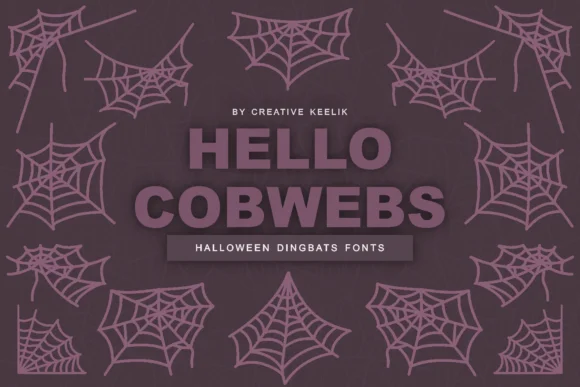
Hello Cobwebs, designed by Creative Keelik, is built around hand-drawn cobweb illustrations rendered with sharp, clean line work. Each glyph stands as both a standalone ornament and a component ready to combine with others. The balance of character and precision sets this collection apart from more generic symbol fonts.
The real value lies in its adaptability across print and digital applications. You can run these dingbats at large sizes for Halloween party invitations and seasonal greeting cards, or scale them down for spooky merchandise labels and specialty product packaging. Haunted house promotional banners, laser-cut craft templates, and seasonal social media graphics all work equally well with this set. The consistent proportions across every glyph mean you get reliable scaling no matter the application or size. Construction stays minimal yet detailed, so the symbols reproduce clearly whether printed on cardstock or displayed on screen. The sharp edges prevent any muddy output, even at smaller sizes, which matters deeply for precision work like custom packaging and DIY craft projects.
Best suited to designers creating seasonal or Halloween-focused branding, packaging, and campaign materials who need dingbats with both visual presence and refinement. Grab the complete collection from Creative Fabrica.
Style & Use Cases
- Overall Style
- Iconographic, Display Fonts
- Use Case
- Icons, Accents
- Ideal For
- ornaments, bullets, and decorative flourishes
- Pairs With
- any text font
How to Install Hello Cobwebs Font
Step-by-step instructions for every platform
- 1Download the Hello Cobwebs font file (.ttf or .otf).
- 2Locate the downloaded file in your Downloads folder.
- 3Right-click the font file.
- 4Select "Install" to install for the current user, or "Install for all users" to make it available system-wide.
- 5Hello Cobwebs is now available in Word, Photoshop, Illustrator, and all other apps.
More by Creative Keelik
View all →
Browse fonts by theme
Curated collections →Saw a font in a picture? Identify any font from an image with our free Font Finder.
More Dingbats Fonts
Browse all →







What pairs well with Hello Cobwebs Font?
Hello Cobwebs Font is a versatile dingbats font that works for both headings and body text. Pair it with a contrasting sans-serif or serif font to add visual interest and a clear distinction between titles and body copy.




Hello Cobwebs Font
Reviewed by the FontBoxDL team · Updated June 2026