 Firefox
 1 / 10
About Grinds Font
Imagine a streetwear brand launching a limited collection with bold drop announcements, or a craft coffee roaster designing labels that need to jump off the shelf. Grinds, a handwritten display brush font by Omotu Studio, delivers exactly that raw, hand-drawn confidence. Built entirely in uppercase, it reads organic and sketch-like without needing actual hand lettering skills.
This font excels across concrete applications. Use it for apparel branding and custom hang tags, artisan product packaging like coffee labels or skincare boxes, music album covers and event posters, or social media graphics where visual impact matters. The brush strokes stay clear and punchy even at display sizes, which is key when a design needs to grab attention fast. From tight product labels to billboard-scale poster work, the hand-sketched feel reads consistent and confident.
The technical toolkit runs deep. You get a full character set with numerals, punctuation marks, and an extensive ligature library for refined control over letterforms. OpenType features unlock Stylistic Alternates, accessible through the Glyphs panel in Adobe Illustrator or the OpenType menu in Photoshop. Multilingual character support means the font works across different languages. Grinds is also compatible with InDesign, Corel Draw, and Microsoft Word. Grab it on Creative Fabrica and bring authentic hand-drawn energy to your next brand.
Style & Use Cases
- Overall Style
- Eye-catching, Bold
- Use Case
- Headlines, Logos
- Ideal For
- posters, branding, and social media graphics
- Pairs With
- a readable sans or serif for body
How to Install Grinds Font
Step-by-step instructions for every platform
- 1Download the Grinds font file (.ttf or .otf).
- 2Locate the downloaded file in your Downloads folder.
- 3Right-click the font file.
- 4Select "Install" to install for the current user, or "Install for all users" to make it available system-wide.
- 5Grinds is now available in Word, Photoshop, Illustrator, and all other apps.
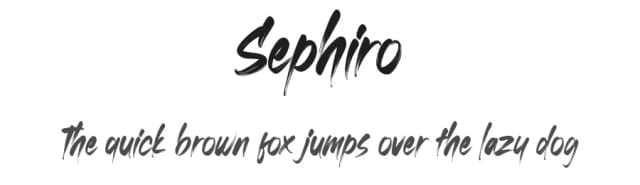
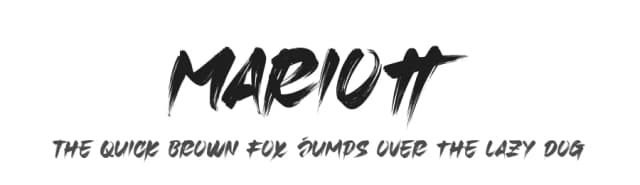
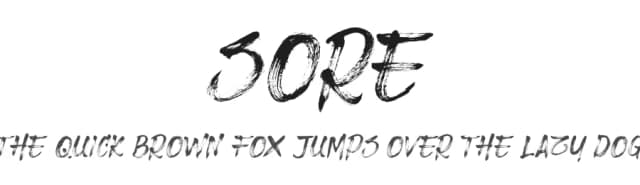
More by Omotu Studio
View all →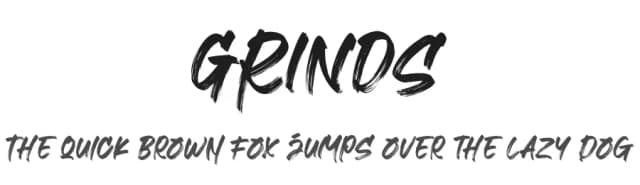
Browse fonts by theme
Curated collections →Saw a font in a picture? Identify any font from an image with our free Font Finder.
More Display Fonts
Browse all →







What pairs well with Grinds Font?
Grinds Font is a display font that shines as a display or heading face. Pair it with a clean sans-serif or serif font for body text — the contrast creates a clear hierarchy while the two styles stay balanced and easy to read.



Grinds Font
by Omotu Studio
Reviewed by the FontBoxDL team · Updated June 2026