 Firefox
 1 / 10
About Golden Hills Font
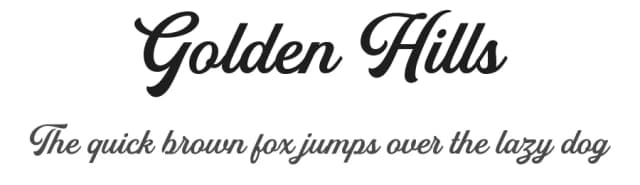
The Golden Hills font duo presents a striking pairing of hand-lettered script with a clean sans serif companion, created by Iqbal Habibi. This combination of elegantly flowing letterforms and refined geometric shapes gives designers genuine flexibility for sophisticated projects across multiple industries.
What makes this pairing particularly useful is how well the fonts work together across different applications. Brand identities especially benefit from the contrast between the ornamental script and understated sans serif when applied to luxury goods, high-end restaurant menus, or boutique skincare packaging where visual personality matters. The script's organic curves shine in formal applications like wedding invitation suites and artisanal product labels, while the paired sans serif elegantly handles body copy and supporting elements. This duality lets you layer sophistication throughout a single project.
Golden Hills includes extensive features for professional typesetting: alternates and ligatures bring nuance to the script, and comprehensive support for accented characters covers most European languages. The duo works best in software that properly handles OpenType features like Adobe Illustrator or Photoshop, where you unlock the full range of stylistic variations. This is the font for designers working on high-touch projects where the typeface choice signals quality and care. Find Golden Hills on Creative Fabrica.
Style & Use Cases
- Overall Style
- Eye-catching, Bold
- Use Case
- Headlines, Logos
- Ideal For
- posters, branding, and social media graphics
- Pairs With
- a readable sans or serif for body
How to Install Golden Hills Font
Step-by-step instructions for every platform
- 1Download the Golden Hills font file (.ttf or .otf).
- 2Locate the downloaded file in your Downloads folder.
- 3Right-click the font file.
- 4Select "Install" to install for the current user, or "Install for all users" to make it available system-wide.
- 5Golden Hills is now available in Word, Photoshop, Illustrator, and all other apps.
More by Iqbal Habibi
View all →
Browse fonts by theme
Curated collections →Saw a font in a picture? Identify any font from an image with our free Font Finder.
More Display Fonts
Browse all →







What pairs well with Golden Hills Font?
Golden Hills Font is a display font that shines as a display or heading face. Pair it with a clean sans-serif or serif font for body text — the contrast creates a clear hierarchy while the two styles stay balanced and easy to read.



Golden Hills Font
by Iqbal Habibi
Reviewed by the FontBoxDL team · Updated September 2026