 Firefox
 1 / 5
1 / 5About Glitter Doodle Font
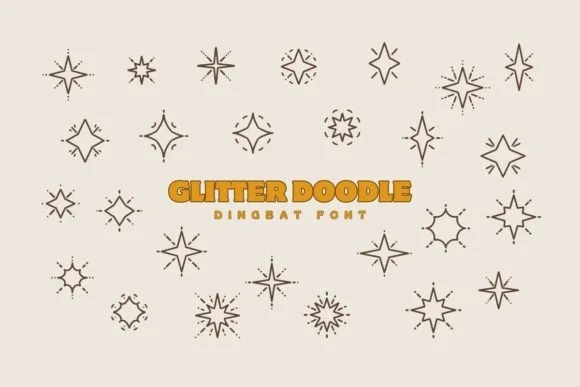
Glitter Doodle by Eystore is a dingbat collection built around ornamental symbols designed to bring sparkle and festive character to your work. These textured marks shine brightest when layering across holiday party invitations, luxury gift packaging design, or sophisticated celebration stationery. The collection works equally well for building wallpaper backgrounds, digital event announcements, and social media graphics that need to grab attention without feeling juvenile or overdone.
What makes this set stand out is the quality of the individual elements. Rather than generic confetti shapes, you get constellation patterns, elegant flourishes, and ornamental marks with real texture that reads as intentional and high-end. The symbols scale beautifully from small accents to dominant design features, working equally well for small business labels, wrapping paper designs, or full backdrop treatments. You'll find yourself reaching for these glowing marks again and again across invitations, greeting cards, and decorative paper goods.
This collection brings enough variety to work across different design contexts and moods. Combine these elements with serif or display typefaces for maximum impact, or let them anchor a simpler layout by themselves. Grab this font from Creative Fabrica and start building layered designs with real sparkle that feel polished rather than overwrought.
Style & Use Cases
- Overall Style
- Iconographic, Dingabt
- Use Case
- Icons, Accents
- Ideal For
- ornaments, bullets, and decorative flourishes
- Pairs With
- any text font
How to Install Glitter Doodle Font
Step-by-step instructions for every platform
- 1Download the Glitter Doodle font file (.ttf or .otf).
- 2Locate the downloaded file in your Downloads folder.
- 3Right-click the font file.
- 4Select "Install" to install for the current user, or "Install for all users" to make it available system-wide.
- 5Glitter Doodle is now available in Word, Photoshop, Illustrator, and all other apps.
More by Eystore
View all →
Browse fonts by theme
Curated collections →Saw a font in a picture? Identify any font from an image with our free Font Finder.
More Dingbats Fonts
Browse all →







What pairs well with Glitter Doodle Font?
Glitter Doodle Font is a versatile dingbats font that works for both headings and body text. Pair it with a contrasting sans-serif or serif font to add visual interest and a clear distinction between titles and body copy.




Glitter Doodle Font
by Eystore
Reviewed by the FontBoxDL team · Updated July 2026