 Firefox
 1 / 6
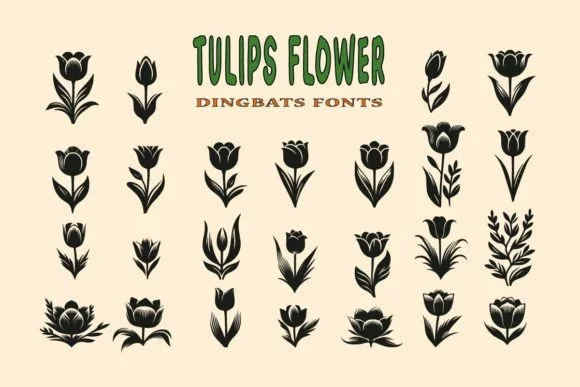
1 / 6About Tulips Flower Font
There's something naturally joyful about florals rendered as decorative symbols. Tulips Flower, created by Eystore, is a dingbat font built entirely from botanical shapes that bring an organic, whimsical quality to your creative work.
The symbol collection works beautifully across wedding invitation suites where floral accents feel genuinely right at home, Valentine's Day stationery sets, craft activity kits and coloring books designed for kids and families, and handmade product labels for boutique businesses. Use these tulip shapes to embellish t-shirt designs, custom mug prints, and pillow covers, scatter them across social media graphics, or repeat them as decorative borders on custom packaging and printed materials. Each symbol is clean and distinctive, so they read well whether you're layering them into existing compositions or featuring them as decorative focal points in a design.
The dingbat approach means you're working with intuitive character swaps rather than complex graphics files, which keeps projects simple and flexible. Pair this with a crisp sans-serif or subtle serif font for headings and body copy, letting the floral symbols maintain focus without overwhelming the overall layout. You'll find Tulips Flower ready to download on Creative Fabrica whenever you need that natural, hands-on botanical touch for your creative work.
Style & Use Cases
- Overall Style
- Iconographic, Decoration
- Use Case
- Icons, Accents
- Ideal For
- ornaments, bullets, and decorative flourishes
- Pairs With
- any text font
How to Install Tulips Flower Font
Step-by-step instructions for every platform
- 1Download the Tulips Flower font file (.ttf or .otf).
- 2Locate the downloaded file in your Downloads folder.
- 3Right-click the font file.
- 4Select "Install" to install for the current user, or "Install for all users" to make it available system-wide.
- 5Tulips Flower is now available in Word, Photoshop, Illustrator, and all other apps.
More by Eystore
View all →
Browse fonts by theme
Curated collections →Saw a font in a picture? Identify any font from an image with our free Font Finder.
More Dingbats Fonts
Browse all →







What pairs well with Tulips Flower Font?
Tulips Flower Font is a versatile dingbats font that works for both headings and body text. Pair it with a contrasting sans-serif or serif font to add visual interest and a clear distinction between titles and body copy.




Tulips Flower Font
by Eystore
Reviewed by the FontBoxDL team · Updated June 2026