 Firefox
 1 / 8
1 / 8About Flower Garden Memories Font
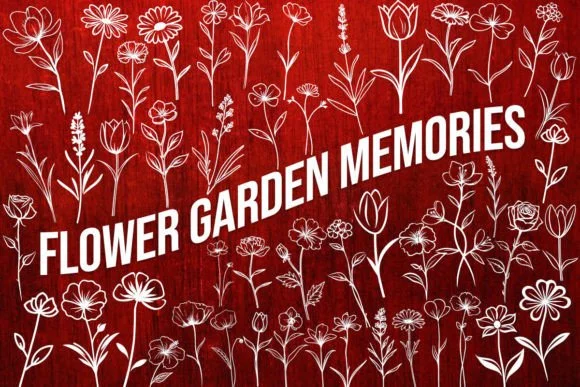
Flower Garden Memories by MOMAT THIRTYONE is a dingbat font that replaces standard letterforms with hand-drawn flower symbols and nature illustrations. Each character becomes a delicate floral element or garden-inspired icon, creating a nostalgic, organic quality that typical fonts can't deliver. The design feels like a collection of pressed flowers and garden sketches brought to digital life.
This font shines in specific applications where you need authentic botanical texture. Wedding invitation suites benefit from these organic symbols as border elements or accent marks without requiring custom illustration work. Small-batch cosmetics labels, artisanal tea packaging, and boutique greeting cards gain authentic character from these hand-rendered symbols. Scrapbookers find the full range of flower variations particularly useful for constructing dimensional layouts, while crafters creating personalized gift tags and journal covers value the instantly recognizable garden aesthetic.
The font works as a complete design toolkit when combined with serif or handwriting typefaces. Using the full symbol set lets you build complex floral arrangements and textured backgrounds for any nature-themed project. Head to Creative Fabrica to get Flower Garden Memories and start incorporating these genuine botanical elements into your work.
Style & Use Cases
- Overall Style
- Iconographic, Dingbats Fonts
- Use Case
- Icons, Accents
- Ideal For
- ornaments, bullets, and decorative flourishes
- Pairs With
- any text font
How to Install Flower Garden Memories Font
Step-by-step instructions for every platform
- 1Download the Flower Garden Memories font file (.ttf or .otf).
- 2Locate the downloaded file in your Downloads folder.
- 3Right-click the font file.
- 4Select "Install" to install for the current user, or "Install for all users" to make it available system-wide.
- 5Flower Garden Memories is now available in Word, Photoshop, Illustrator, and all other apps.
More by MOMAT THIRTYONE
View all →



Browse fonts by theme
Curated collections →Saw a font in a picture? Identify any font from an image with our free Font Finder.
More Dingbats Fonts
Browse all →







What pairs well with Flower Garden Memories Font?
Flower Garden Memories Font is a versatile dingbats font that works for both headings and body text. Pair it with a contrasting sans-serif or serif font to add visual interest and a clear distinction between titles and body copy.




Flower Garden Memories Font
Reviewed by the FontBoxDL team · Updated July 2026