 Firefox
 1 / 8
1 / 8About Doodle Font
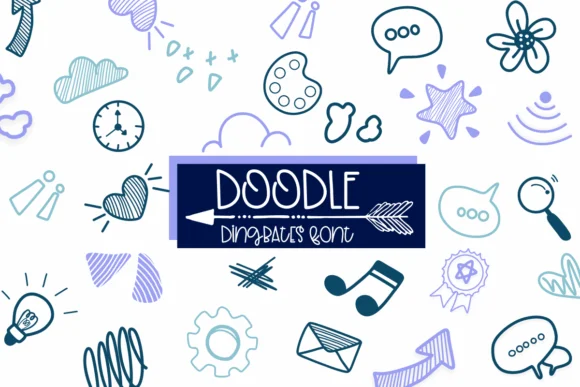
You're sketching out a handmade greeting card, and you need decorative elements that feel like genuine doodles on paper rather than crisp vector shapes. Enter Doodle, a dingbats font designed by Sirinart that trades polish for personality, offering hand-drawn marks and illustrations in place of traditional letterforms.
This font works best when authenticity matters more than precision. Wedding invitation suites and formal stationery benefit from its gestural, loose-line quality, while Etsy shop owners find it exceptionally useful for product label design. Children's storybook illustrations and hand-lettered covers gain real character from it, as do planner stickers and divider pages. You're working with a substantial and varied library of decorative glyphs: stars, hearts, bubbles, scribbles, arrows, and other illustrated marks that function together as a cohesive visual language rather than a random collection.
The font comes in both OTF and TTF formats, making it readily adaptable across Procreate, Affinity Designer, and standard design software. Each individual element feels intentionally sketched, which is exactly why the font truly shines at larger sizes, where the hand-drawn quality becomes a genuine asset rather than a limitation. If you're looking to build creative projects that need hand-drawn ornaments, decorative marks, and that authentic sketchy aesthetic, grab Doodle from Creative Fabrica.
Style & Use Cases
- Overall Style
- Iconographic, Doodle
- Use Case
- Icons, Accents
- Ideal For
- ornaments, bullets, and decorative flourishes
- Pairs With
- any text font
How to Install Doodle Font
Step-by-step instructions for every platform
- 1Download the Doodle font file (.ttf or .otf).
- 2Locate the downloaded file in your Downloads folder.
- 3Right-click the font file.
- 4Select "Install" to install for the current user, or "Install for all users" to make it available system-wide.
- 5Doodle is now available in Word, Photoshop, Illustrator, and all other apps.
More by Sirinart
View all →

Browse fonts by theme
Curated collections →Saw a font in a picture? Identify any font from an image with our free Font Finder.
More Dingbats Fonts
Browse all →






What pairs well with Doodle Font?
Doodle Font is a versatile dingbats font that works for both headings and body text. Pair it with a contrasting sans-serif or serif font to add visual interest and a clear distinction between titles and body copy.




Doodle Font
by Sirinart
Reviewed by the FontBoxDL team · Updated July 2026