 Firefox
 1 / 6
1 / 6About Doodle Font
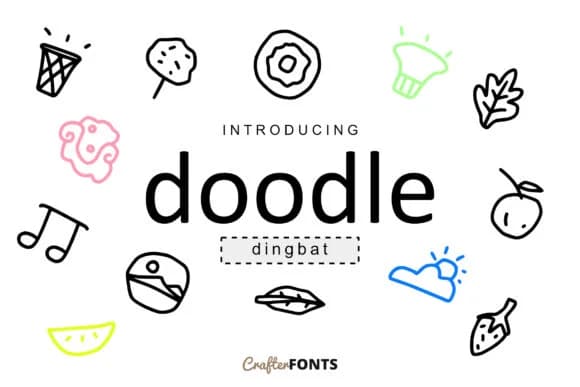
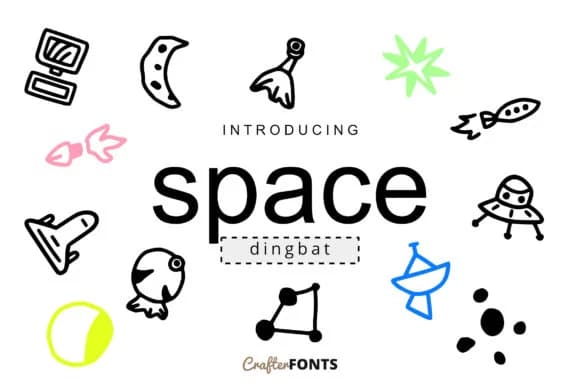
Doodle by CrafterFonts is a playful dingbat collection that fills the gap between functional symbols and decorative illustration. With 62 distinct characters, this font works beautifully for DIY greeting card designs, scrapbooking layouts, and personalized sticker sheets. Each symbol carries a hand-drawn charm that feels right at home on handmade product labels and craft project embellishments. The line work is consistent enough to read clearly whether you're printing large or small.
The versatility here extends well beyond decoration. You can layer these symbols alongside typography to add rhythm and visual interest to your designs without overwhelming them. They're particularly useful for building custom icon sets within small business logos, creating decorative border elements for printable planners, or punctuating event invitations with character that generic clip art simply can't match. Designers reach for this kind of font when they need working symbols with personality, not just utilitarian icons.
Building branded packaging for your Etsy shop becomes easier when you have character-driven elements ready to use. Whether you're sketching ideas for a community zine or developing labels for homemade products, Doodle delivers the kind of handmade appeal that customers notice. The approachable aesthetic means it works across different industries and styles without feeling out of place. Get the font on Creative Fabrica and explore what's possible with a symbol set this versatile.
Style & Use Cases
- Overall Style
- Iconographic, Doodle
- Use Case
- Icons, Accents
- Ideal For
- ornaments, bullets, and decorative flourishes
- Pairs With
- any text font
How to Install Doodle Font
Step-by-step instructions for every platform
- 1Download the Doodle font file (.ttf or .otf).
- 2Locate the downloaded file in your Downloads folder.
- 3Right-click the font file.
- 4Select "Install" to install for the current user, or "Install for all users" to make it available system-wide.
- 5Doodle is now available in Word, Photoshop, Illustrator, and all other apps.
More by CrafterFonts
View all →
Browse fonts by theme
Curated collections →Saw a font in a picture? Identify any font from an image with our free Font Finder.
More Dingbats Fonts
Browse all →







What pairs well with Doodle Font?
Doodle Font is a versatile dingbats font that works for both headings and body text. Pair it with a contrasting sans-serif or serif font to add visual interest and a clear distinction between titles and body copy.



Doodle Font
by CrafterFonts
Reviewed by the FontBoxDL team · Updated September 2026