 Firefox
 1 / 5
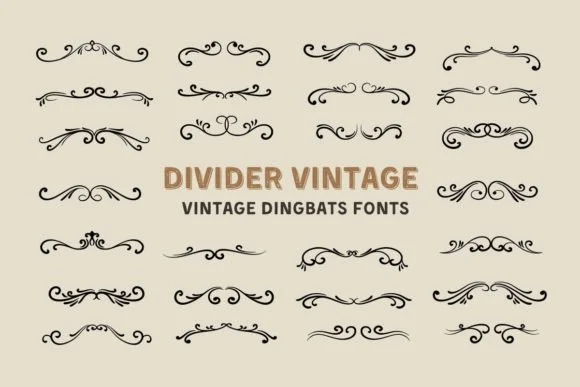
1 / 5About Divider Vintage Font
This dingbat typeface brings genuine warmth and personality to festive and handmade projects. Divider Vintage, designed by Eystore, combines ornamental sparkle accents with a nostalgic aesthetic that balances visual interest with restraint. The sparkles work because they're detailed enough to feel special without becoming clutter or distraction in your designs.
The font works beautifully for Christmas ornament packaging, wedding invitation suites, DIY advent calendar covers, boutique holiday product labels on Etsy, and even festive home décor signage. Each sparkle element renders clearly at large scales for signage and small enough to work on delicate labels. The collection includes multiple weights and alternate characters to give you flexibility across different design scenarios. SVG compatibility means you can edit, customize colors, and layer the ornaments however your project requires, which proves especially handy for sublimation work and cutting machine applications where you need both scalability and the ability to separate colors by layer. This opens up possibilities for heat transfer projects and intricate die-cut designs that rely on precise color separation.
Pair it with a clean, modern sans-serif for body text to let the dingbats shine as decorative accents without overwhelming your overall layout. Grab it on Creative Fabrica to expand your collection.
Style & Use Cases
- Overall Style
- Iconographic, Divider Font
- Use Case
- Icons, Accents
- Ideal For
- ornaments, bullets, and decorative flourishes
- Pairs With
- any text font
How to Install Divider Vintage Font
Step-by-step instructions for every platform
- 1Download the Divider Vintage font file (.ttf or .otf).
- 2Locate the downloaded file in your Downloads folder.
- 3Right-click the font file.
- 4Select "Install" to install for the current user, or "Install for all users" to make it available system-wide.
- 5Divider Vintage is now available in Word, Photoshop, Illustrator, and all other apps.
More by Eystore
View all →
Browse fonts by theme
Curated collections →Saw a font in a picture? Identify any font from an image with our free Font Finder.
More Dingbats Fonts
Browse all →







What pairs well with Divider Vintage Font?
Divider Vintage Font is a versatile dingbats font that works for both headings and body text. Pair it with a contrasting sans-serif or serif font to add visual interest and a clear distinction between titles and body copy.




Divider Vintage Font
by Eystore
Reviewed by the FontBoxDL team · Updated July 2026