 Firefox
 1 / 8
1 / 8About AMBASSADOR PLUS Font
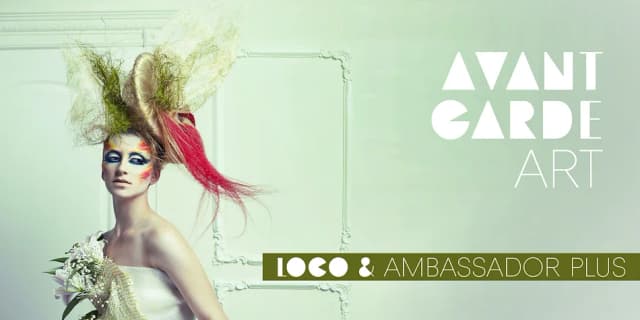
Picture a luxury cosmetics brand finalizing its packaging design. The lettering needs to feel refined without screaming for attention, and that's where Ambassador Plus, created by Juraj Chrastina, steps in. This display typeface family balances hairline delicacy with genuine readability, making it ideal for high-end magazine layouts, boutique perfume packaging, wedding invitation suites, and prestige editorial features. The thin strokes carry an understated sophistication that works beautifully at large sizes without feeling fragile or overworked.
The spacing and kerning here are genuinely thoughtful, refined by Igino Marini's typographic expertise. Ambassador Plus handles the work that requires restraint, those projects where whisper-quiet elegance matters more than bold impact. From luxury goods labels to art gallery announcements to coffee-table publication covers, this family gives you the tools to create work that feels intentional and cultivated rather than trendy or disposable. Each character carries weight despite its thin construction, a sign of careful type design.
The hairline weights perform particularly well at large sizes, where the delicate strokes maintain their presence without sacrificing readability. With meticulous construction throughout, Ambassador Plus is ready to bring sophistication to your finest projects. Grab the full family on Creative Fabrica and start layering that refined aesthetic into your work.
Style & Use Cases
- Overall Style
- Eye-catching, Bold
- Use Case
- Headlines, Logos
- Ideal For
- posters, branding, and social media graphics
- Pairs With
- a readable sans or serif for body
How to Install AMBASSADOR PLUS Font
Step-by-step instructions for every platform
- 1Download the AMBASSADOR PLUS font file (.ttf or .otf).
- 2Locate the downloaded file in your Downloads folder.
- 3Right-click the font file.
- 4Select "Install" to install for the current user, or "Install for all users" to make it available system-wide.
- 5AMBASSADOR PLUS is now available in Word, Photoshop, Illustrator, and all other apps.
More by Juraj Chrastina
View all →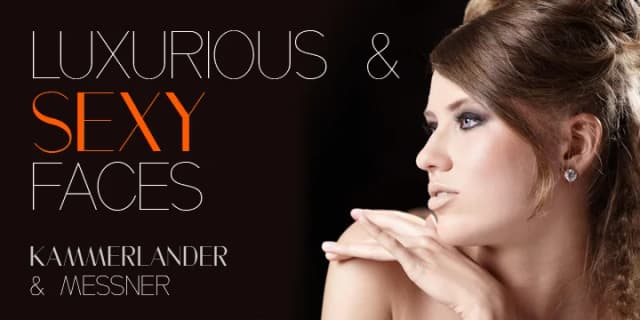

Browse fonts by theme
Curated collections →Saw a font in a picture? Identify any font from an image with our free Font Finder.
More Display Fonts
Browse all →







What pairs well with AMBASSADOR PLUS Font?
AMBASSADOR PLUS Font is a display font that shines as a display or heading face. Pair it with a clean sans-serif or serif font for body text — the contrast creates a clear hierarchy while the two styles stay balanced and easy to read.



AMBASSADOR PLUS Font
Reviewed by the FontBoxDL team · Updated October 2026