
 1 / 5
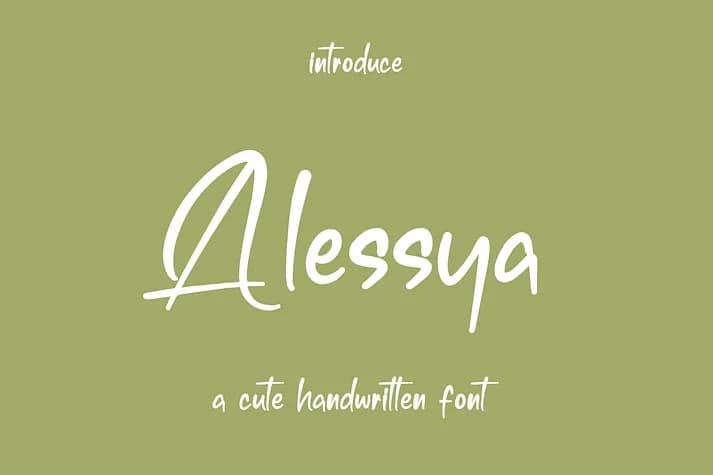
1 / 5About Alessya Font
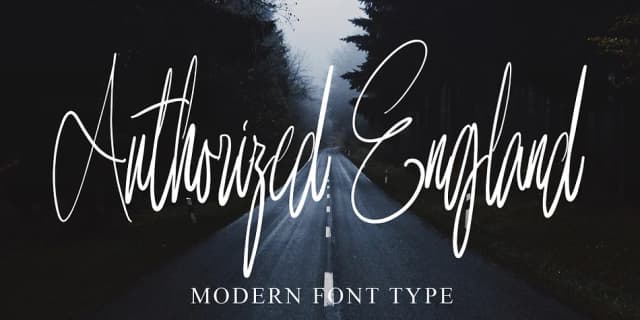
Alessya, designed by Ayska, captures the fluid movement of hand-drawn letterforms with its graceful brush-stroke quality. The letterforms flow with natural elegance that reads refined without feeling stiff or overwrought. This script brings personality to wedding invitation suites, luxury packaging for boutique skincare and beauty brands, hand-lettered greeting cards, and custom photography watermarks. Each application feels more considered and human-made because of the letterforms' flowing character.
The font works equally well in digital spaces, bringing warmth to website headers and logo lockups where you want human touch without sacrificing polish. Etsy sellers have found it particularly strong for handmade product labels and shop branding, especially for items and craft supplies that benefit from an artisanal feel. Small batch makers and boutique businesses building a brand around authenticity will find that Alessya strikes the balance between feeling distinctive and remaining genuinely usable across different applications.
If you're designing any project that needs to feel personally considered rather than mass-produced, this font delivers that impression reliably. Find Alessya on Creative Fabrica, where it sits alongside a thoughtfully curated collection of typefaces for designers and makers.
Style & Use Cases
- Overall Style
- Elegant, Flowing
- Use Case
- Invitations, Branding
- Ideal For
- wedding stationery, greeting cards, and signatures
- Pairs With
- a simple uppercase sans
How to Install Alessya Font
Step-by-step instructions for every platform
- 1Download the Alessya font file (.ttf or .otf).
- 2Locate the downloaded file in your Downloads folder.
- 3Right-click the font file.
- 4Select "Install" to install for the current user, or "Install for all users" to make it available system-wide.
- 5Alessya is now available in Word, Photoshop, Illustrator, and all other apps.
More Script Handwritten Fonts
Browse all →







What pairs well with Alessya Font?
Alessya Font is a script font that shines as a display or heading face. Pair it with a clean sans-serif or serif font for body text — the contrast creates a clear hierarchy while the two styles stay balanced and easy to read.



Alessya Font
by Ayska
Reviewed by the FontBoxDL team · Updated July 2026