
 1 / 8
1 / 8About Akakio Font
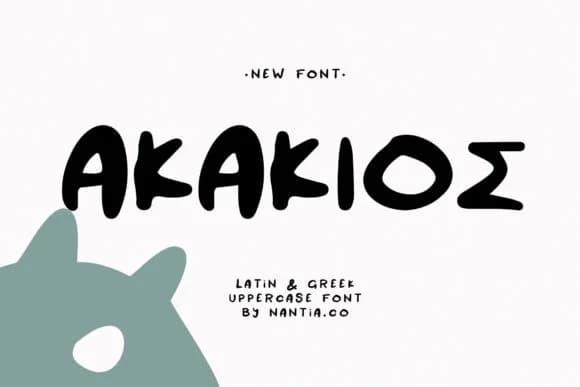
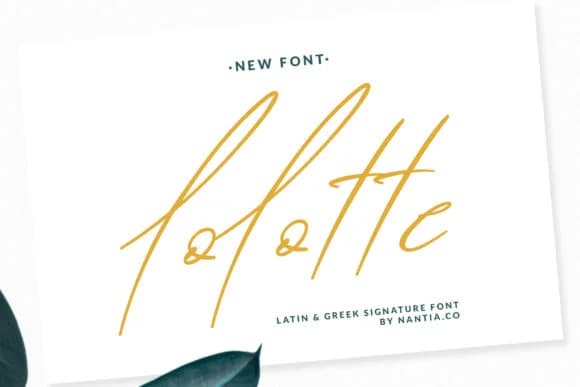
Akakio by nantia balances casual warmth with reliable structure in a way that feels genuinely handmade yet professional. The letterforms have a natural, flowing rhythm with just enough subtle irregularity to read as authentic human touch rather than mechanical perfection. This balance lets it work across logos, social graphics, packaging, and even stretches of longer text without losing character or legibility.
This handwritten script shines for wedding invitation suites where couples want personality without excessive flourish. It works equally well for custom greeting card lettering and boutique product labels. Small-batch packaging brands reach for it to design skincare, candle, and handmade goods labels that signal craft and care. Social media creatives and brand designers layer it over photography for story graphics and promotional posts that really need genuine warmth rather than trendy slickness. DIY makers and small business owners use Akakio for custom labels, personalized gift tags, and journal covers that stand out in the marketplace.
Akakio suits designers and makers who are building distinctive brands around authentic handmade values, from wedding stationery and small business packaging to personal creative portfolios and custom branding projects. License it from Creative Fabrica to bring that handwritten warmth to your next project.
Style & Use Cases
- Overall Style
- Elegant, Flowing, Akakio
- Use Case
- Invitations, Branding
- Ideal For
- wedding stationery, greeting cards, and signatures
- Pairs With
- a simple uppercase sans
How to Install Akakio Font Font
Step-by-step instructions for every platform
- 1Download the Akakio Font font file (.ttf or .otf).
- 2Locate the downloaded file in your Downloads folder.
- 3Right-click the font file.
- 4Select "Install" to install for the current user, or "Install for all users" to make it available system-wide.
- 5Akakio Font is now available in Word, Photoshop, Illustrator, and all other apps.
More Script Handwritten Fonts
Browse all →







What pairs well with Akakio Font?
Akakio Font is a script font that shines as a display or heading face. Pair it with a clean sans-serif or serif font for body text — the contrast creates a clear hierarchy while the two styles stay balanced and easy to read.



Akakio Font
by nantia
Reviewed by the FontBoxDL team · Updated August 2026