
 1 / 7
1 / 7About Adeghio Font
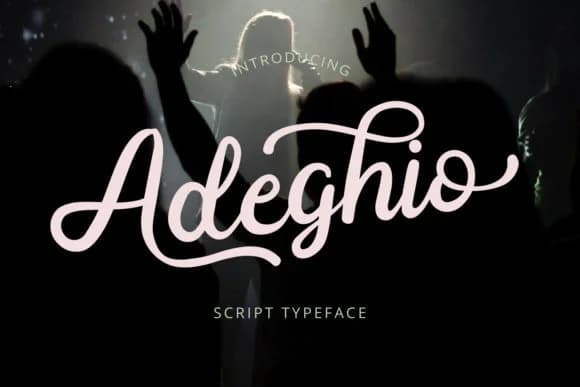
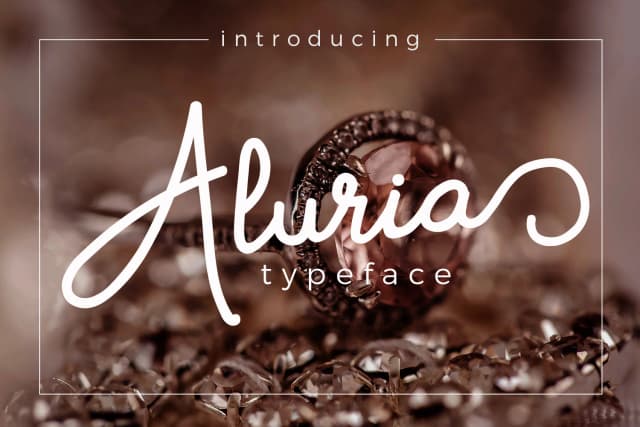
There's a rare quality in handwritten letterforms that manages to feel both personal and purposeful. Adeghio, designed by josgandos, achieves exactly that balance. It's modern in sensibility and confident in execution, with the genuine warmth of an authentic pen stroke, yet refined and professional enough for premium applications. The bold swashes give the entire font visual energy and rhythm without compromising legibility or feeling overwrought.
The font naturally suits wedding invitation suites, where you want that handmade intimacy without sacrificing elegance or clarity. It brings life to Etsy product labels and boutique cosmetics packaging, lending them a distinctly crafted feel. DIY craft signage takes on new dimension with its presence, gaining polish and intentionality that you won't find in standard, impersonal typefaces. Whether displayed large for headlines or smaller for supporting text, the swashes maintain their expressive character while staying readable.
Pair it with a clean, geometric sans-serif for body copy and secondary text, allowing Adeghio to handle the visual storytelling and personality work. Find it on Creative Fabrica and start using it to add genuine craft and warmth to your next project.
Style & Use Cases
- Overall Style
- Elegant, Flowing, Adeghio
- Use Case
- Invitations, Branding
- Ideal For
- wedding stationery, greeting cards, and signatures
- Pairs With
- a simple uppercase sans
How to Install Adeghio Font Font
Step-by-step instructions for every platform
- 1Download the Adeghio Font font file (.ttf or .otf).
- 2Locate the downloaded file in your Downloads folder.
- 3Right-click the font file.
- 4Select "Install" to install for the current user, or "Install for all users" to make it available system-wide.
- 5Adeghio Font is now available in Word, Photoshop, Illustrator, and all other apps.
More by josgandos
View all →
More Script Handwritten Fonts
Browse all →







What pairs well with Adeghio Font?
Adeghio Font is a script font that shines as a display or heading face. Pair it with a clean sans-serif or serif font for body text — the contrast creates a clear hierarchy while the two styles stay balanced and easy to read.



Adeghio Font
by josgandos
Reviewed by the FontBoxDL team · Updated June 2026