 Firefox
 1 / 8
1 / 8About Wedding Fashion Icons Font
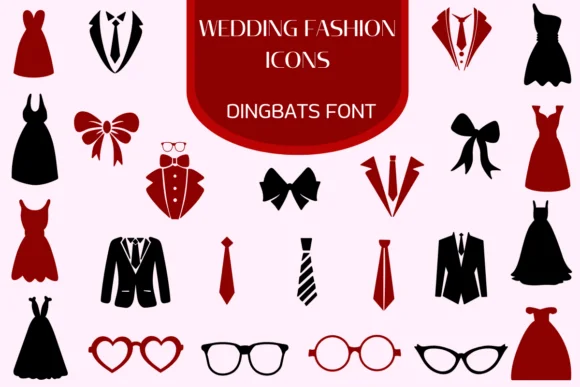
Wedding Fashion Icons, created by Heartcraft Atelier, is a dingbat collection capturing bridal elegance through carefully drawn symbols representing gowns, veils, jewelry, shoes, and formal attire. Refined and illustrative, these icons speak directly to anyone designing around weddings and fashion themes. Beyond generic symbol libraries, this collection opens creative possibilities you'll actually use. Consider wedding invitation suites where custom graphics set the visual tone, or boutique bridal packaging labels that gain sophistication when icons enhance rather than compete with product photography. Etsy product listings for bridal accessories benefit equally, as do save-the-date graphics, rehearsal dinner programs, bridesmaid gift tags, and DIY craft signs that all feel more intentional with cohesive symbol support.
What distinguishes this collection is how it layers meaning into small spaces. A simple veil icon, a groom's silhouette, or a delicate shoe symbol carries cultural weight that generic shapes simply don't. Stationery projects, social media graphics announcing engagement milestones, and personalized wedding favor designs all become more compelling when every element signals care rather than placeholder choices. Available in both OTF and TTF formats, these glyphs are compatible with Procreate, Affinity Photo, Affinity Designer, and other design tools.
Wedding Fashion Icons is ideal for designers and crafters building cohesive bridal brand identities. Get it from Creative Fabrica.
Style & Use Cases
- Overall Style
- Iconographic, Fonts
- Use Case
- Icons, Accents
- Ideal For
- ornaments, bullets, and decorative flourishes
- Pairs With
- any text font
How to Install Wedding Fashion Icons Font
Step-by-step instructions for every platform
- 1Download the Wedding Fashion Icons font file (.ttf or .otf).
- 2Locate the downloaded file in your Downloads folder.
- 3Right-click the font file.
- 4Select "Install" to install for the current user, or "Install for all users" to make it available system-wide.
- 5Wedding Fashion Icons is now available in Word, Photoshop, Illustrator, and all other apps.
More by Heartcraft Atelier
View all →



Browse fonts by theme
Curated collections →Saw a font in a picture? Identify any font from an image with our free Font Finder.
More Dingbats Fonts
Browse all →







What pairs well with Wedding Fashion Icons Font?
Wedding Fashion Icons Font is a versatile dingbats font that works for both headings and body text. Pair it with a contrasting sans-serif or serif font to add visual interest and a clear distinction between titles and body copy.




Wedding Fashion Icons Font
Reviewed by the FontBoxDL team · Updated June 2026