 Firefox
 1 / 5
1 / 5About WARDROBE JNL Font
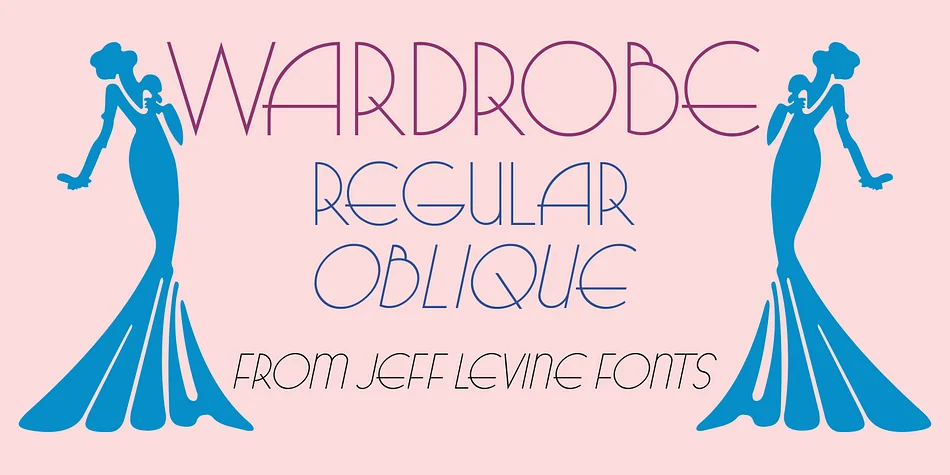
You're designing an invitation for a vintage gala and want a typeface that channels 1930s elegance without fussy decoration getting in the way. Wardrobe JNL by Jeff Levine Fonts delivers exactly that: a hand-lettered Art Deco monoline sans serif born from a 1938 Spanish cinema magazine feature about what Hollywood stars were wearing that season. It carries that era's sophisticated charm while remaining readable and genuinely timeless in approach.
This font excels when restraint and style converge most powerfully. Luxury cosmetics packaging, jazz club event posters, high-end wedding invitation suites, and boutique fashion brand materials all showcase its strengths beautifully. The monoline structure keeps everything clear even when set large, a genuine advantage when your design needs both legibility and personality working together. The geometric letterforms have just enough Art Deco character to feel period-appropriate without looking trapped in a particular moment.
You get both regular and oblique versions, which means you can create emphasis through intentional design choices rather than relying on software italics to do the work. Those clean lines serve heritage brands positioning themselves as timeless, and contemporary projects that want to borrow period authenticity. Find Wardrobe JNL on Creative Fabrica and add this elegant monoline to your library.
Style & Use Cases
- Overall Style
- Bold, Distinctive
- Use Case
- Headlines, Posters
- Ideal For
- logos, packaging, and standout titles
- Pairs With
- a neutral sans-serif
How to Install WARDROBE JNL Font
Step-by-step instructions for every platform
- 1Download the WARDROBE JNL font file (.ttf or .otf).
- 2Locate the downloaded file in your Downloads folder.
- 3Right-click the font file.
- 4Select "Install" to install for the current user, or "Install for all users" to make it available system-wide.
- 5WARDROBE JNL is now available in Word, Photoshop, Illustrator, and all other apps.
More by Jeff Levine Fonts
View all →



Browse fonts by theme
Curated collections →Saw a font in a picture? Identify any font from an image with our free Font Finder.
More Decorative Fonts
Browse all →







What pairs well with WARDROBE JNL Font?
WARDROBE JNL Font is a decorative font that shines as a display or heading face. Pair it with a clean sans-serif or serif font for body text — the contrast creates a clear hierarchy while the two styles stay balanced and easy to read.




WARDROBE JNL Font
Reviewed by the FontBoxDL team · Updated June 2026