
 1 / 8
1 / 8About Vines Dingbats Font
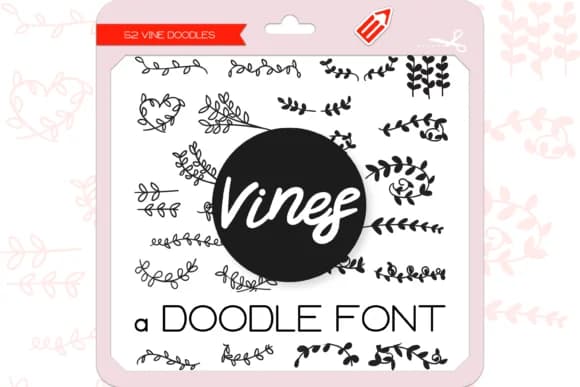
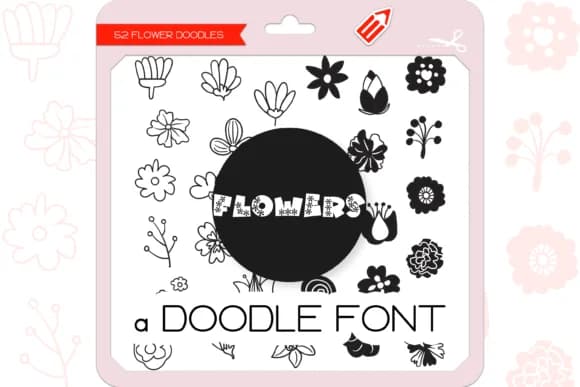
Vines Dingbats by WADLEN is a nature-inspired dingbat collection of 52 hand-drawn botanical elements that bring organic texture to any design. The individual pieces work beautifully as decorative borders and dividers, with delicate vine flourishes framing invitations or layered botanical illustrations breaking up white space. These aren't generic florals; they're drawn with enough character to feel intentional rather than formulaic. Each doodle carries a sketchy, handmade quality that feels more like art than decoration.
The real strength lies in how versatile these doodles are across different projects. Wedding invitation suites benefit from the organic, trailing aesthetic, while botanical stationery and pressed flower designs pull from the natural, sketchy quality. Craft labels for plant-based brands, terrarium shop packaging, and DIY nature journals all find a home here. Layer them, mix and match, or use single elements as accent marks within larger compositions to add dimension and visual interest.
These elements work across cottagecore brand identities, gardening-themed product lines, and anywhere you want organic texture beyond standard illustration. The hand-drawn approach means they feel personal without requiring the time investment of custom illustration work. You could layer these with typography for botanical packaging, scatter them across a nature journal spread, or use them as a framing device for your core design. Grab Vines Dingbats on Creative Fabrica and start exploring what these hand-drawn vines can do for your work.
Style & Use Cases
- Overall Style
- Iconographic, Vine
- Use Case
- Icons, Accents
- Ideal For
- ornaments, bullets, and decorative flourishes
- Pairs With
- any text font
How to Install Vines Dingbats Font
Step-by-step instructions for every platform
- 1Download the Vines Dingbats font file (.ttf or .otf).
- 2Locate the downloaded file in your Downloads folder.
- 3Right-click the font file.
- 4Select "Install" to install for the current user, or "Install for all users" to make it available system-wide.
- 5Vines Dingbats is now available in Word, Photoshop, Illustrator, and all other apps.
Browse fonts by theme
Curated collections →Saw a font in a picture? Identify any font from an image with our free Font Finder.
More Dingbats Fonts
Browse all →







What pairs well with Vines Dingbats Font?
Vines Dingbats Font is a versatile dingbats font that works for both headings and body text. Pair it with a contrasting sans-serif or serif font to add visual interest and a clear distinction between titles and body copy.



Vines Dingbats Font
by WADLEN
Reviewed by the FontBoxDL team · Updated July 2026