 Firefox
 1 / 8
1 / 8Loading font…
About Usa Font
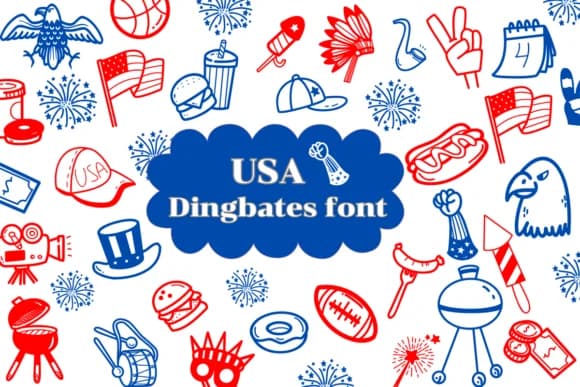
Usa by Natchuta is a dingbat font built entirely from patriotic symbols and celebratory flourishes. Stars, flags, fireworks, and festive iconography form each character, creating a graphic style that captures the spirit of national holidays without ever feeling stiff or formal. Available in both OTF and TTF formats, the font works across Procreate, Affinity Designer, and Affinity Photo, making it accessible for both digital and print workflows.
This font excels when you need thematic visual accents that bring personality to a project. Party invitations for Independence Day gatherings gain instant energy from these patriotic letterforms, while greeting cards and printable coloring pages benefit from the designed outline approach. Scrapbookers can layer these symbols throughout layouts for authentic seasonal flair, and small makers find particular value in using them for custom merchandise labels, event signage, and social media graphics. The doodle-like, cartoon quality keeps the tone playful and celebratory across any project type.
With this outline construction, you have real creative freedom: fill characters with solid colors, apply gradients, or leave them open for hand-coloring depending on your vision. Grab Usa from Creative Fabrica and bring instant patriotic personality to your next design project.
Style & Use Cases
- Overall Style
- Iconographic, Fonts
- Use Case
- Icons, Accents
- Ideal For
- ornaments, bullets, and decorative flourishes
- Pairs With
- any text font
How to Install Usa Font
Step-by-step instructions for every platform
- 1Download the Usa font file (.ttf or .otf).
- 2Locate the downloaded file in your Downloads folder.
- 3Right-click the font file.
- 4Select "Install" to install for the current user, or "Install for all users" to make it available system-wide.
- 5Usa is now available in Word, Photoshop, Illustrator, and all other apps.

Browse fonts by theme
Curated collections →Saw a font in a picture? Identify any font from an image with our free Font Finder.
More Dingbats Fonts
Browse all →







What pairs well with Usa Font?
Usa Font is a versatile dingbats font that works for both headings and body text. Pair it with a contrasting sans-serif or serif font to add visual interest and a clear distinction between titles and body copy.



Usa Font
by Natchuta
Reviewed by the FontBoxDL team · Updated October 2026