 Firefox
 1 / 8
1 / 8About Floral Line Font
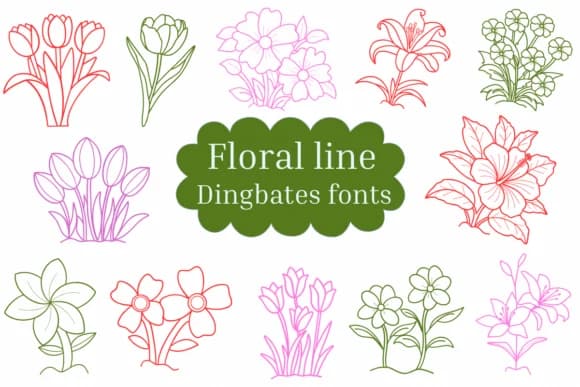
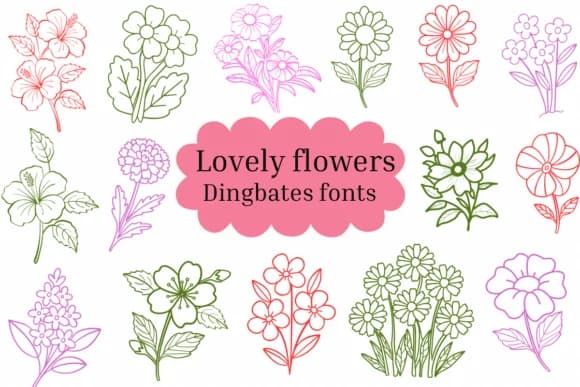
These hand-drawn designs evoke a gentle, organic feeling. Floral Line by Natchuta is a dingbats collection of fourteen botanical line-art illustrations that work as both decorative accents and subtle visual anchors.
The range spans individual blooms to branching leaves, offering genuine flexibility when you need botanical detail without overwhelming your layout. Frame the text on wedding invitation cards with these designs, ornament the corners of greeting cards and thank-you notes, accentuate menus at boutique cafes and restaurants, or enhance product photography for artisanal goods and handmade craft supplies sold through online marketplaces. The clean line-art style translates well to both digital layouts and print materials, whether you're embellishing a leather journal spread or layering elements into social media graphics for a flower shop or plant-focused wellness brand.
Available in both OTF and TTF formats, these outline-style glyphs let you fill or stroke them in whatever color suits your design. Pair Floral Line with a clean sans-serif typeface like Montserrat or Poppins to keep the botanical details from overwhelming your supporting text. Find it on Creative Fabrica to add these nature-inspired flourishes to your next project.
Style & Use Cases
- Overall Style
- Iconographic, Fonts
- Use Case
- Icons, Accents
- Ideal For
- ornaments, bullets, and decorative flourishes
- Pairs With
- any text font
How to Install Floral Line Font
Step-by-step instructions for every platform
- 1Download the Floral Line font file (.ttf or .otf).
- 2Locate the downloaded file in your Downloads folder.
- 3Right-click the font file.
- 4Select "Install" to install for the current user, or "Install for all users" to make it available system-wide.
- 5Floral Line is now available in Word, Photoshop, Illustrator, and all other apps.


Browse fonts by theme
Curated collections →Saw a font in a picture? Identify any font from an image with our free Font Finder.
More Dingbats Fonts
Browse all →







What pairs well with Floral Line Font?
Floral Line Font is a versatile dingbats font that works for both headings and body text. Pair it with a contrasting sans-serif or serif font to add visual interest and a clear distinction between titles and body copy.



Floral Line Font
by Natchuta
Reviewed by the FontBoxDL team · Updated June 2026