 Firefox
 1 / 10
About Typnic Font
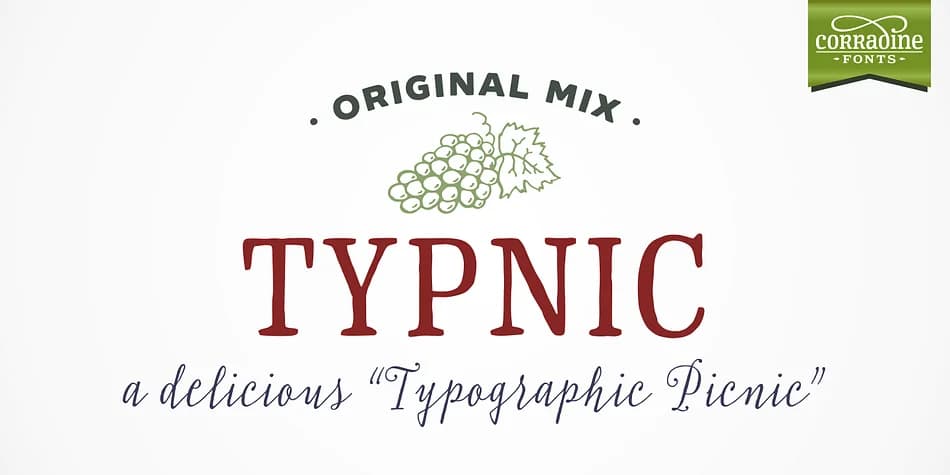
Typnic is a hand-calligraphed typeface system by Corradine Fonts that combines natural, organic letterforms with an integrated set of ornaments and decorative elements. Structured as an interconnected family of eighteen typefaces across three distinct styles, the system functions as a complete design toolkit where layering and strategic mixing create visual depth, richness, and distinct personality.
The Headline style features six layered fonts that stack and blend for dramatic mastheads and print ads, working especially well for event posters and high-impact advertising layouts. Typnic Script arrives in six distinct variations plus a matching font with extended tails, double letters, and embellished ascenders, making it ideal for hand-lettered product labels, custom greeting cards, and boutique packaging design. The Roman style provides secondary text without sacrificing the overall cohesion. Complementing the typeface family, Typnic includes dingbats, patterns, and borders that expand your design vocabulary across decorative accents and graphic elements.
Designers working on cohesive brand identity systems or handcrafted-feeling projects will find this typeface family particularly useful. Artisanal product lines, DIY signage, and wedding invitation suites all gain a distinctive edge from its natural rhythm and flexible combinations. Get Typnic on Creative Fabrica to access the full system and explore all its layered possibilities.
Style & Use Cases
- Overall Style
- Iconographic
- Use Case
- Icons, Accents
- Ideal For
- ornaments, bullets, and decorative flourishes
- Pairs With
- any text font
How to Install Typnic Font
Step-by-step instructions for every platform
- 1Download the Typnic font file (.ttf or .otf).
- 2Locate the downloaded file in your Downloads folder.
- 3Right-click the font file.
- 4Select "Install" to install for the current user, or "Install for all users" to make it available system-wide.
- 5Typnic is now available in Word, Photoshop, Illustrator, and all other apps.
More by Corradine Fonts
View all →
Browse fonts by theme
Curated collections →Saw a font in a picture? Identify any font from an image with our free Font Finder.
More Dingbats Fonts
Browse all →







What pairs well with Typnic Font?
Typnic Font is a versatile dingbats font that works for both headings and body text. Pair it with a contrasting sans-serif or serif font to add visual interest and a clear distinction between titles and body copy.



Typnic Font
Reviewed by the FontBoxDL team · Updated August 2026