 Firefox
 1 / 2
1 / 2About TOP TUNE JNL Font
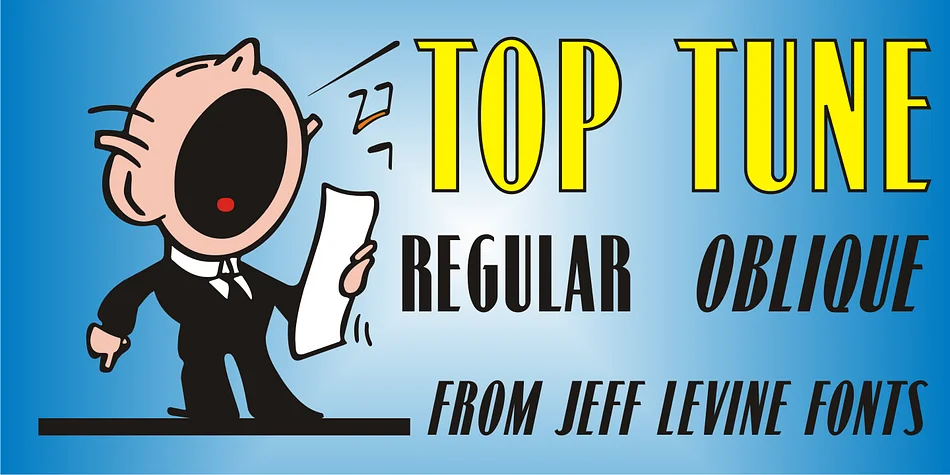
Top Tune JNL by Jeff Levine Fonts is a bold, condensed sans serif straight from the 1950s Art Deco playbook. The typeface originated with hand lettering on a 1955 British sheet music edition of Frank Sinatra's "I'm Walking Behind You," capturing everything sleek and forward-thinking about mid-century design while maintaining that crisp geometric precision.
This is the face you want for record label designs, mid-century wedding invitations, or 1950s-themed restaurant branding and signage. The condensed width packs serious visual punch without eating up horizontal space, which really matters when you need bold type that doesn't sprawl across your layout. You get regular and oblique versions built in, so you can layer them for emphasis and dynamic rhythm in typography-focused designs. It's the kind of typeface designers reach for whenever period authenticity meets graphic impact.
Vintage book covers, craft beer packaging, and theater marquee lettering all benefit from these geometric letterforms. What makes this special is the genuine mid-century grounding, not a designer playing with retro nostalgia but rather something rooted in actual design traditions from that era. Find it on Creative Fabrica when you need a typeface with real historical character and presence.
Style & Use Cases
- Overall Style
- Bold, Distinctive
- Use Case
- Headlines, Posters
- Ideal For
- logos, packaging, and standout titles
- Pairs With
- a neutral sans-serif
How to Install TOP TUNE JNL Font
Step-by-step instructions for every platform
- 1Download the TOP TUNE JNL font file (.ttf or .otf).
- 2Locate the downloaded file in your Downloads folder.
- 3Right-click the font file.
- 4Select "Install" to install for the current user, or "Install for all users" to make it available system-wide.
- 5TOP TUNE JNL is now available in Word, Photoshop, Illustrator, and all other apps.
More by Jeff Levine Fonts
View all →



Browse fonts by theme
Curated collections →Saw a font in a picture? Identify any font from an image with our free Font Finder.
More Decorative Fonts
Browse all →







What pairs well with TOP TUNE JNL Font?
TOP TUNE JNL Font is a decorative font that shines as a display or heading face. Pair it with a clean sans-serif or serif font for body text — the contrast creates a clear hierarchy while the two styles stay balanced and easy to read.




TOP TUNE JNL Font
Reviewed by the FontBoxDL team · Updated June 2026