 Firefox
 1 / 10
About Tokyo Olive Font
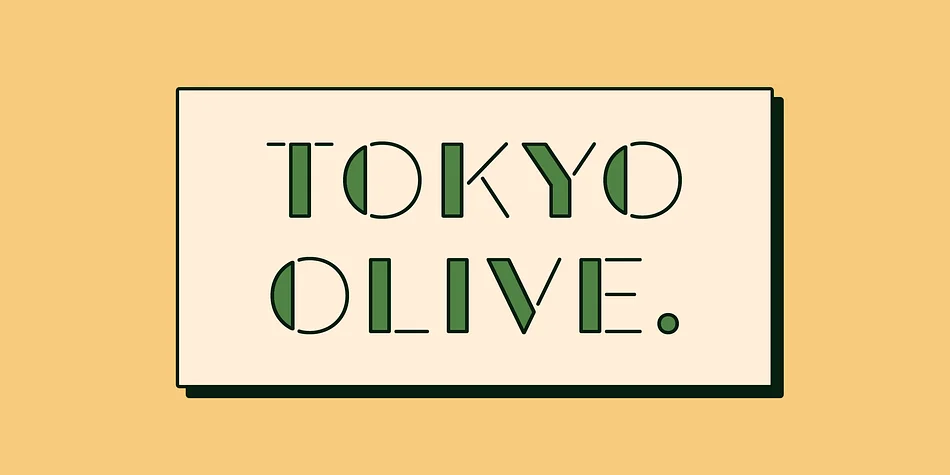
Tokyo Olive from Dharma Type captures the playful, distinctive geometry of 1980s Japanese advertisement design, where bold, structured letterforms meet rounded stencil-style joints for maximum visual impact. The typeface expertly blends boxy geometric shapes with soft, organic curves in a way that feels both nostalgic and strikingly contemporary.
Use it on eye-catching concert posters and music festival flyers where graphic attitude really matters, vintage beauty product packaging for indie cosmetics brands, nightclub event branding and signage, and record store window displays. The family includes five distinct styles, designed specifically for layered color work in Photoshop or Illustrator. Stack the Standard, Half Fill, and Full Fill variations strategically to build multi-tone compositions, letting each color layer add richness, depth, dimension, and visual nuance to your finished design. The stencil-style joints work beautifully when you're creatively exploring color interactions and building effects across multiple layers.
Tokyo Olive suits any designer or brand looking to channel authentic 80s graphic energy without slipping into pure pastiche. It's equally at home in straightforward contemporary design as it is in deliberately retro-inspired work. Grab Tokyo Olive on Creative Fabrica and bring nostalgic graphic character and playful energy to your next project.
Style & Use Cases
- Overall Style
- Bold, Distinctive
- Use Case
- Headlines, Posters
- Ideal For
- logos, packaging, and standout titles
- Pairs With
- a neutral sans-serif
How to Install Tokyo Olive Font
Step-by-step instructions for every platform
- 1Download the Tokyo Olive font file (.ttf or .otf).
- 2Locate the downloaded file in your Downloads folder.
- 3Right-click the font file.
- 4Select "Install" to install for the current user, or "Install for all users" to make it available system-wide.
- 5Tokyo Olive is now available in Word, Photoshop, Illustrator, and all other apps.
More by Dharma Type
View all →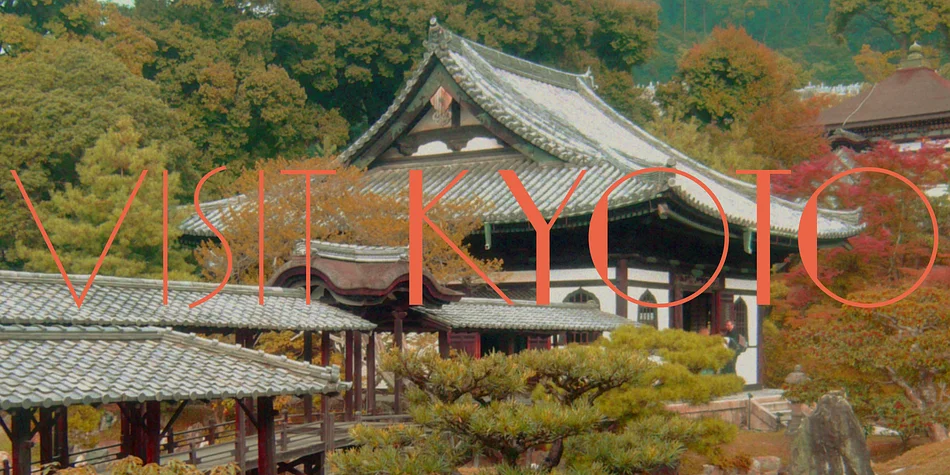

Browse fonts by theme
Curated collections →Saw a font in a picture? Identify any font from an image with our free Font Finder.
More Decorative Fonts
Browse all →







What pairs well with Tokyo Olive Font?
Tokyo Olive Font is a decorative font that shines as a display or heading face. Pair it with a clean sans-serif or serif font for body text — the contrast creates a clear hierarchy while the two styles stay balanced and easy to read.




Tokyo Olive Font
by Dharma Type
Reviewed by the FontBoxDL team · Updated June 2026