 Firefox
 1 / 5
1 / 5About THEATER LOBBY JNL Font
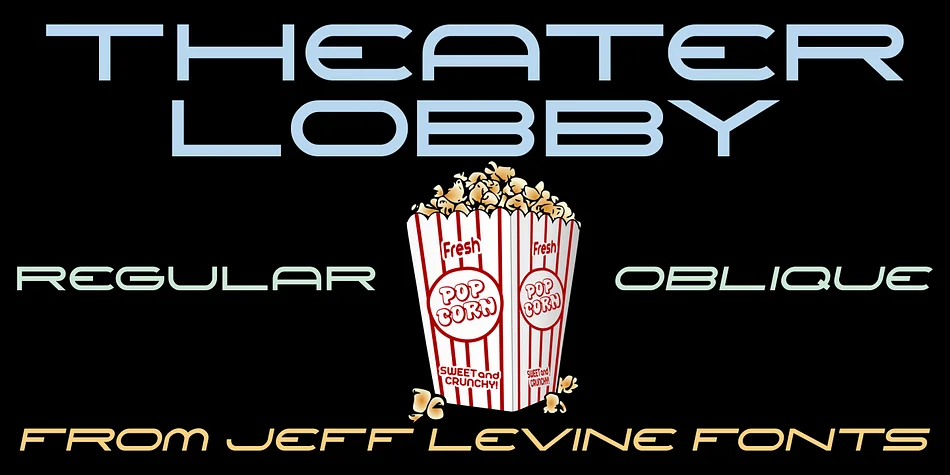
This typeface captures that golden-age glamour of mid-century movie house marquees. Theater Lobby JNL, designed by Jeff Levine, draws inspiration from hand-lettered signage that once graced Miami's historic Wometco Theater during the 1950s heyday of cinema. The style brings authentic Art Deco attitude to any retro-leaning design project.
The strong, geometric letterforms work beautifully for vintage movie poster recreations, Art Deco wedding invitations and signage, retro cocktail lounge menus, and speakeasy-style event promotions. Its angular curves and deliberate styling evoke the craftsmanship of hand-painted theater signs, the kind that announced the biggest pictures of the day. Designers often reach for this face when they need something with real period character that feels handmade, not digital. Available in both regular and oblique versions, the typeface adapts from commanding display headlines to decorative accent work that punches through noise.
The oblique option opens up even more creative directions for posters, labels, and signage where a bit of dynamic slant adds movement and energy. Pair it with a clean, modern sans-serif for body copy to keep your layout readable and balanced, letting Theater Lobby JNL command attention where it matters most. Grab it on Creative Fabrica and add that timeless theater charm to your next project.
Style & Use Cases
- Overall Style
- Bold, Distinctive
- Use Case
- Headlines, Posters
- Ideal For
- logos, packaging, and standout titles
- Pairs With
- a neutral sans-serif
How to Install THEATER LOBBY JNL Font
Step-by-step instructions for every platform
- 1Download the THEATER LOBBY JNL font file (.ttf or .otf).
- 2Locate the downloaded file in your Downloads folder.
- 3Right-click the font file.
- 4Select "Install" to install for the current user, or "Install for all users" to make it available system-wide.
- 5THEATER LOBBY JNL is now available in Word, Photoshop, Illustrator, and all other apps.
More by Jeff Levine Fonts
View all →



Browse fonts by theme
Curated collections →Saw a font in a picture? Identify any font from an image with our free Font Finder.
More Decorative Fonts
Browse all →







What pairs well with THEATER LOBBY JNL Font?
THEATER LOBBY JNL Font is a decorative font that shines as a display or heading face. Pair it with a clean sans-serif or serif font for body text — the contrast creates a clear hierarchy while the two styles stay balanced and easy to read.




THEATER LOBBY JNL Font
Reviewed by the FontBoxDL team · Updated June 2026