 Firefox
About TERRACE JNL Font
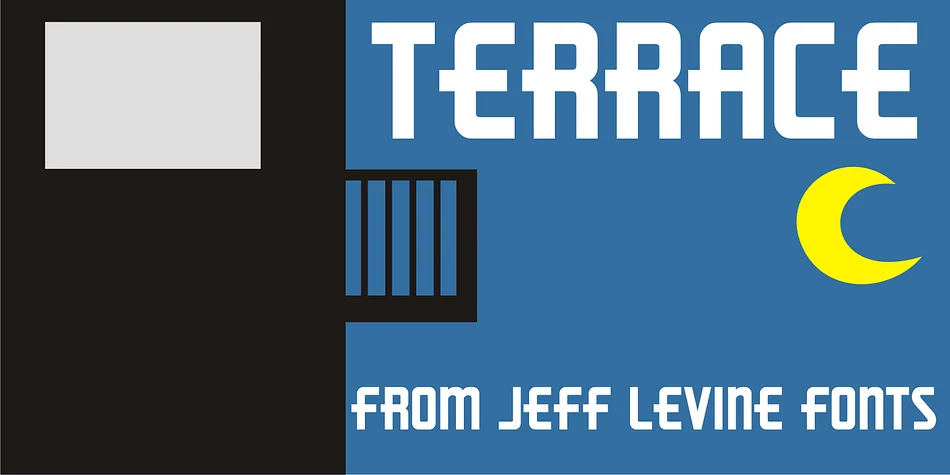
TERRACE JNL by Jeff Levine Fonts is a sturdy Art Deco display face that draws from hand lettering discovered on vintage 1940s organ sheet music covers. The typeface captures that confident geometric quality of the era with bold letterforms, clean architectural lines, and understated elegance that commands attention at headline sizes without feeling overwrought.
This is the kind of face you'd reach for when designing vintage-inspired wedding stationery suites, retro cocktail party invitations, or packaging for small-batch craft spirits and artisanal beauty products. It also works beautifully on jazz venue posters, art deco-themed restaurant menus, and scrapbooking projects that channel mid-century nostalgia. The generous weight and presence give real gravitas on the page. Use it for book cover designs with that noir or mystery vibe, or for signage in antique shops and boutique storefronts that want to signal their era. There's something honest about the letterforms that feels right for branding that leans into authentic vintage character rather than trying to fake it.
The sturdy construction means TERRACE JNL works across different uses without losing its personality. Pick it up from Creative Fabrica to add some genuine 1940s style to your next project.
Style & Use Cases
- Overall Style
- Bold, Distinctive
- Use Case
- Headlines, Posters
- Ideal For
- logos, packaging, and standout titles
- Pairs With
- a neutral sans-serif
How to Install TERRACE JNL Font
Step-by-step instructions for every platform
- 1Download the TERRACE JNL font file (.ttf or .otf).
- 2Locate the downloaded file in your Downloads folder.
- 3Right-click the font file.
- 4Select "Install" to install for the current user, or "Install for all users" to make it available system-wide.
- 5TERRACE JNL is now available in Word, Photoshop, Illustrator, and all other apps.
More by Jeff Levine Fonts
View all →



Browse fonts by theme
Curated collections →Saw a font in a picture? Identify any font from an image with our free Font Finder.
More Decorative Fonts
Browse all →







What pairs well with TERRACE JNL Font?
TERRACE JNL Font is a decorative font that shines as a display or heading face. Pair it with a clean sans-serif or serif font for body text — the contrast creates a clear hierarchy while the two styles stay balanced and easy to read.




TERRACE JNL Font
Reviewed by the FontBoxDL team · Updated June 2026