 Firefox
 1 / 10
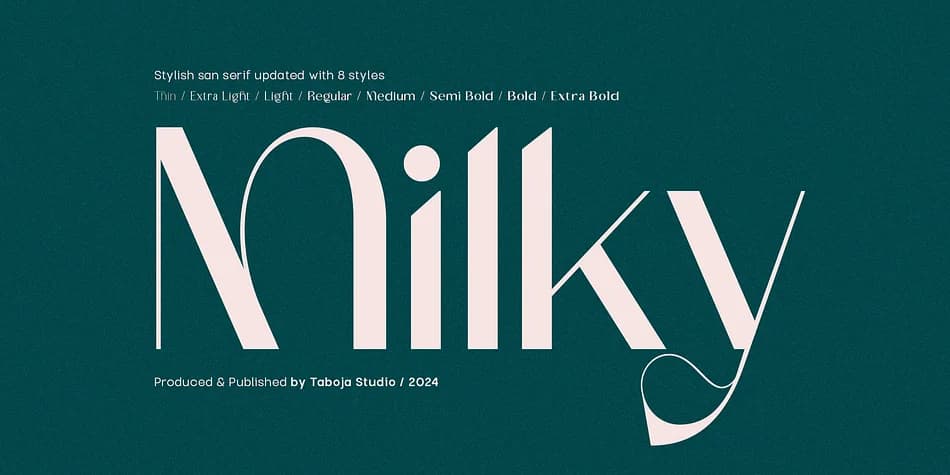
About TBJ Milky Font
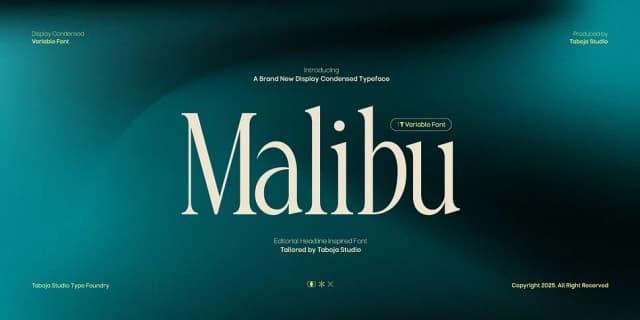
Milky has that dramatic, contemporary feel that stops you in your tracks, the kind of typeface that works hard without trying too hard. Taboja Studio's TBJ Milky achieves this through stark contrast between thick and thin strokes, creating real visual presence while maintaining sophisticated, readable letterforms.
The eight weights deliver genuine flexibility across a single family without needing to hunt for companion fonts. You get all the standard characters (uppercase, lowercase, numerals, punctuation, accented letters), plus multilingual support and OpenType alternates tucked in if you want to explore the full set. This works beautifully for luxury cosmetics branding and packaging, where that weight contrast reads as thoughtful and high-end. Same goes for literary book covers, sophisticated event posters for galleries or cultural institutions, or rebrand work where you need a confident display face that functions across signage, collateral, and digital applications. Custom wedding stationery is another natural fit, especially when the typeface itself needs to carry the visual narrative.
Pair it with a clean, neutral sans-serif for body copy and supporting text, letting Milky do the heavy lifting on impact. You'll find it on Creative Fabrica ready to download.
Style & Use Cases
- Overall Style
- Bold, Distinctive
- Use Case
- Headlines, Posters
- Ideal For
- logos, packaging, and standout titles
- Pairs With
- a neutral sans-serif
How to Install TBJ Milky Font
Step-by-step instructions for every platform
- 1Download the TBJ Milky font file (.ttf or .otf).
- 2Locate the downloaded file in your Downloads folder.
- 3Right-click the font file.
- 4Select "Install" to install for the current user, or "Install for all users" to make it available system-wide.
- 5TBJ Milky is now available in Word, Photoshop, Illustrator, and all other apps.
More by Taboja Studio
View all →
Browse fonts by theme
Curated collections →Saw a font in a picture? Identify any font from an image with our free Font Finder.
More Decorative Fonts
Browse all →







What pairs well with TBJ Milky Font?
TBJ Milky Font is a decorative font that shines as a display or heading face. Pair it with a clean sans-serif or serif font for body text — the contrast creates a clear hierarchy while the two styles stay balanced and easy to read.



TBJ Milky Font
Reviewed by the FontBoxDL team · Updated June 2026