 Firefox
 1 / 8
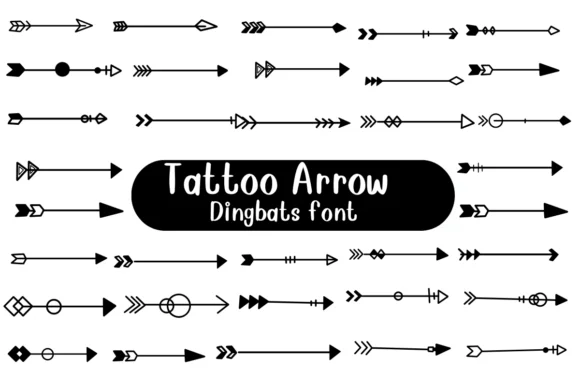
1 / 8About Tattoo Arrow Font
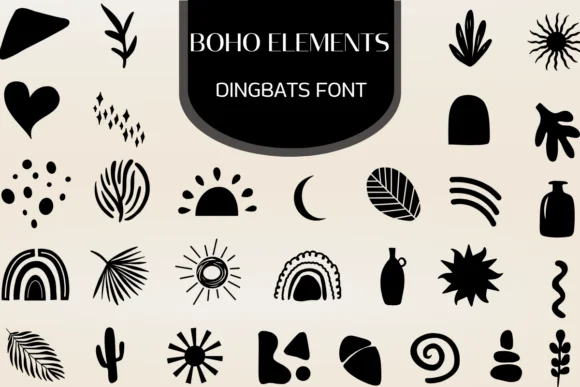
You're designing a tattoo sleeve or putting together boho wedding stationery, and you need arrows that feel hand-drawn and organic. Tattoo Arrow, created by Nongyao, is a dingbats collection built for exactly these moments. The font delivers a full set of arrow ornaments and botanical flourishes that work equally well for tribal logo designs, vintage-inspired signage, or craft project graphics. The collection spans from traditional arrow forms and geometric shapes to delicate botanical marks, giving you the variety you'd normally need multiple separate fonts to achieve.
What makes this practical is the comprehensive coverage. All the variety lives in one cohesive set, so you don't need to mix fonts to chase down the range you're after. Build tattoo flash sheets, design Etsy product labels, or create DIY wooden signs, and the style stays consistent across your work. The hand-drawn quality reads clearly at any size, from large-scale wall art down to small embroidery transfers or digital graphics.
Everything in this collection maintains that organic feel across formats, making it reliable for the full range of projects you'll use it for. Find Tattoo Arrow on Creative Fabrica and start layering these botanical shapes into your next design work.
Style & Use Cases
- Overall Style
- Iconographic, Diy
- Use Case
- Icons, Accents
- Ideal For
- ornaments, bullets, and decorative flourishes
- Pairs With
- any text font
How to Install Tattoo Arrow Font
Step-by-step instructions for every platform
- 1Download the Tattoo Arrow font file (.ttf or .otf).
- 2Locate the downloaded file in your Downloads folder.
- 3Right-click the font file.
- 4Select "Install" to install for the current user, or "Install for all users" to make it available system-wide.
- 5Tattoo Arrow is now available in Word, Photoshop, Illustrator, and all other apps.

Browse fonts by theme
Curated collections →Saw a font in a picture? Identify any font from an image with our free Font Finder.
More Dingbats Fonts
Browse all →






What pairs well with Tattoo Arrow Font?
Tattoo Arrow Font is a versatile dingbats font that works for both headings and body text. Pair it with a contrasting sans-serif or serif font to add visual interest and a clear distinction between titles and body copy.




Tattoo Arrow Font
by Nongyao
Reviewed by the FontBoxDL team · Updated June 2026