 Firefox
 1 / 5
1 / 5About TALKING PICTURE JNL Font
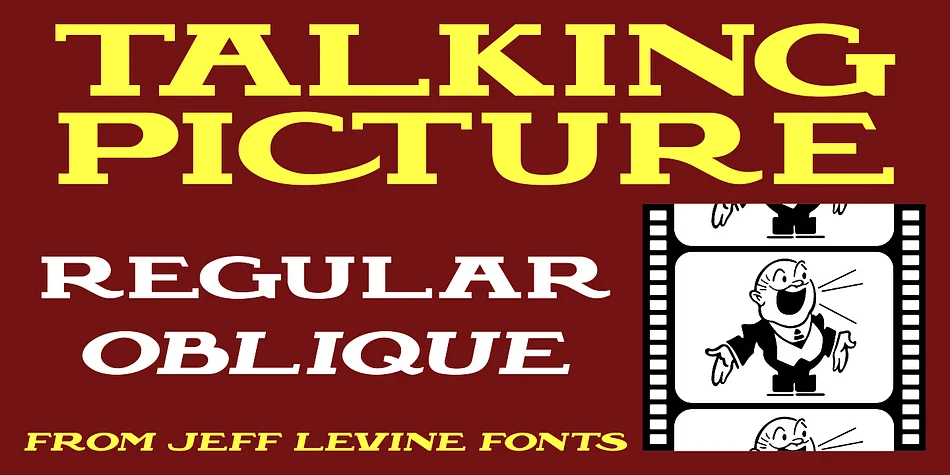
The wide, chunky letterforms of Talking Picture JNL echo the visual language of old movie houses and theatrical promotion spaces. Designed by Jeff Levine Fonts, this typeface draws directly from actual hand-painted signage that advertised a 1929 sound film outside a neighborhood theater, now captured in a bold Art Nouveau slab serif with real presence and character. Every stroke was built for impact, the kind of confident letterform that dominated theatrical marquees and lobby signage during the early sound era.
Designers reach for typefaces like this one when authenticity matters. Speakeasy-themed packaging design, art deco wedding invitations, retro film festival posters, and boutique wine labels all look sharp with its substantial, nostalgic letterforms. The chunky serifs translate well to craft distillery branding, vintage book covers, and merchandise packaging that needs period-appropriate visual weight and presence. Both regular and oblique versions ship with the package, giving you the flexibility to apply tilt and emphasis without breaking from the family.
This typeface works for anyone building authentic vintage branding systems, theatrical materials, or cinema-inspired projects where old-Hollywood atmosphere truly matters. You'll find both versions waiting on Creative Fabrica, ready to bring that classic movie house sensibility to your work.
Style & Use Cases
- Overall Style
- Bold, Distinctive
- Use Case
- Headlines, Posters
- Ideal For
- logos, packaging, and standout titles
- Pairs With
- a neutral sans-serif
How to Install TALKING PICTURE JNL Font
Step-by-step instructions for every platform
- 1Download the TALKING PICTURE JNL font file (.ttf or .otf).
- 2Locate the downloaded file in your Downloads folder.
- 3Right-click the font file.
- 4Select "Install" to install for the current user, or "Install for all users" to make it available system-wide.
- 5TALKING PICTURE JNL is now available in Word, Photoshop, Illustrator, and all other apps.
More by Jeff Levine Fonts
View all →



Browse fonts by theme
Curated collections →Saw a font in a picture? Identify any font from an image with our free Font Finder.
More Decorative Fonts
Browse all →







What pairs well with TALKING PICTURE JNL Font?
TALKING PICTURE JNL Font is a decorative font that shines as a display or heading face. Pair it with a clean sans-serif or serif font for body text — the contrast creates a clear hierarchy while the two styles stay balanced and easy to read.




TALKING PICTURE JNL Font
Reviewed by the FontBoxDL team · Updated June 2026