 Firefox

 1 / 5
About Sweetapple Font
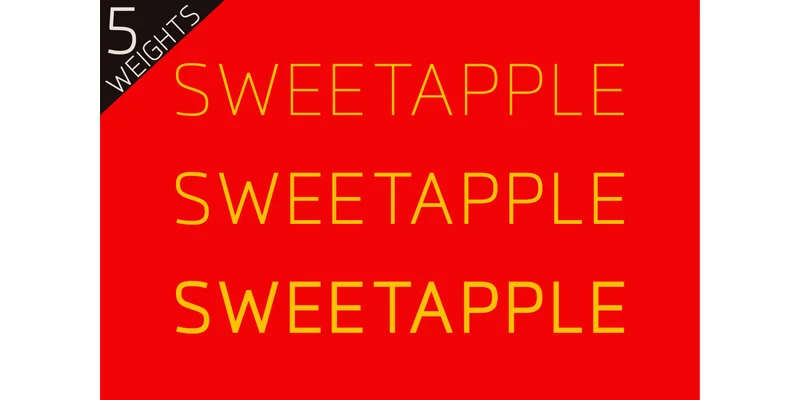
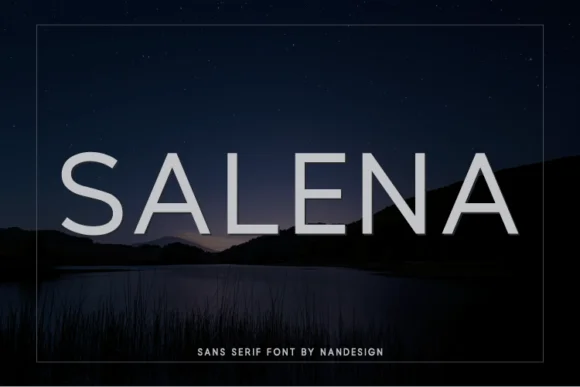
Sweetapple, designed by Nan Design, brings calm confidence to any project. The sans-serif reads as thoroughly modern without overreaching, balancing a sharp geometric edge with genuine warmth that keeps it approachable even at larger sizes.
With five weights spanning light to bold, this is a workhorse for anyone building comprehensive brand systems. You'll find it equally at home in magazine spreads and editorial layouts as you will anchoring luxury packaging for high-end beauty and fashion brands. Film poster designers consistently reach for its clean letterforms, and identity designers rely on its stability across weights. The proportions hold steady whether you're setting the light weight for premium product labels or pushing the bold for headline work, so scaling between sizes never introduces awkwardness or jarring transitions. There's a measured restraint to the letterforms that lets logos read clearly without feeling cold or sterile.
What makes Sweetapple work across so many projects is its restraint: it doesn't fight for attention, so complementary typefaces can breathe instead of competing. Pair it with a classic serif for long-form body text or a tighter geometric font for accent work if you're layering multiple sans-serifs in one identity. Sweetapple is available on Creative Fabrica and ready to anchor your next design system.
Style & Use Cases
- Overall Style
- Clean, Modern, Adaptive Fonts
- Use Case
- Body Text, UI
- Ideal For
- branding, interfaces, and modern layouts
- Pairs With
- a contrasting serif for headings
How to Install Sweetapple Font Font
Step-by-step instructions for every platform
- 1Download the Sweetapple Font font file (.ttf or .otf).
- 2Locate the downloaded file in your Downloads folder.
- 3Right-click the font file.
- 4Select "Install" to install for the current user, or "Install for all users" to make it available system-wide.
- 5Sweetapple Font is now available in Word, Photoshop, Illustrator, and all other apps.
More by Nan Design
View all →
Browse fonts by theme
Curated collections →Saw a font in a picture? Identify any font from an image with our free Font Finder.
More Sans Serif Fonts
Browse all →

What pairs well with Sweetapple Font?
Sweetapple Font is a versatile sans-serif font that works for both headings and body text. Pair it with a contrasting serif or slab serif font to add visual interest and a clear distinction between titles and body copy.
Sweetapple Font
by Nan Design
Reviewed by the FontBoxDL team · Updated October 2026
One-time purchase