
 1 / 9
1 / 9About Sugartina Font
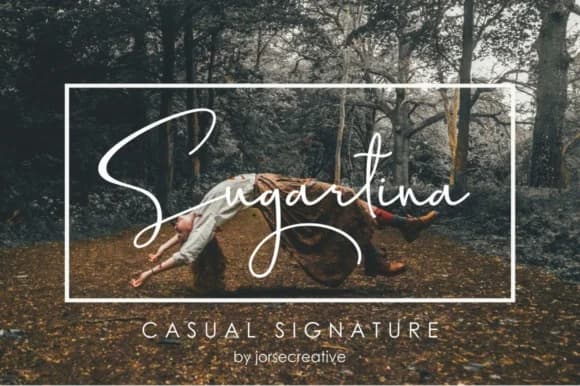
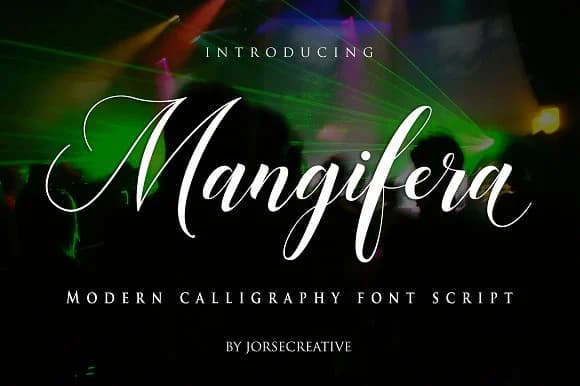
Sugartina Font by Jorse Creative is a flowing handwritten script that brings personal warmth to any design project. With its signature-inspired letterforms and readable curves, this typeface works beautifully for projects where authenticity and elegance matter. The font combines the intimate feel of penmanship with the polish needed for professional applications, making it versatile across different mediums and contexts. Its consistent, well-crafted strokes maintain clarity whether scaled up for headlines or sized down for smaller applications.
Wedding invitation suites benefit from Sugartina's sophisticated charm, while photography watermarks gain a distinctive professional touch that draws viewers' eyes without overwhelming the image. Personalized business cards become memorable when paired with this script, and it excels at adding character to quote graphics, album cover designs, and hand-lettered logo work. The typeface's legible letterforms ensure readability at various sizes, making it practical for real-world use beyond display purposes.
Whether you're designing branded packaging for boutique products, creating custom event materials, or adding a personal signature element to your portfolio work, Sugartina delivers both visual interest and functional design value. Its handwritten aesthetic feels contemporary rather than dated, striking that valuable balance between trendy and timeless. Discover what Sugartina Font can bring to your next project by exploring it on Creative Fabrica.
Style & Use Cases
- Overall Style
- Elegant, Flowing, Sugartina
- Use Case
- Invitations, Branding
- Ideal For
- wedding stationery, greeting cards, and signatures
- Pairs With
- a simple uppercase sans
How to Install Sugartina Font Font
Step-by-step instructions for every platform
- 1Download the Sugartina Font font file (.ttf or .otf).
- 2Locate the downloaded file in your Downloads folder.
- 3Right-click the font file.
- 4Select "Install" to install for the current user, or "Install for all users" to make it available system-wide.
- 5Sugartina Font is now available in Word, Photoshop, Illustrator, and all other apps.
More by Jorse Creative
View all →
More Script Handwritten Fonts
Browse all →







What pairs well with Sugartina Font?
Sugartina Font is a script font that shines as a display or heading face. Pair it with a clean sans-serif or serif font for body text — the contrast creates a clear hierarchy while the two styles stay balanced and easy to read.



Sugartina Font
Reviewed by the FontBoxDL team · Updated May 2026