 Firefox
 1 / 5
1 / 5About STUDIO LOT JNL Font
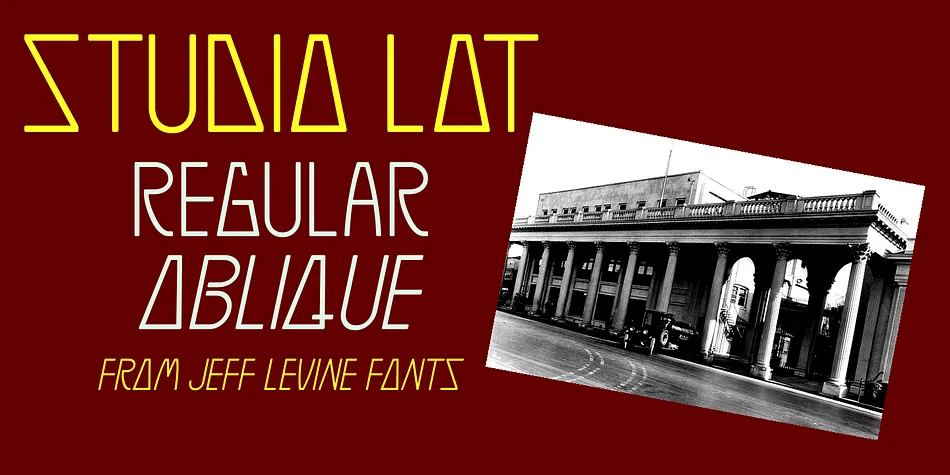
STUDIO LOT JNL by Jeff Levine Fonts is a display typeface born from Art Deco glamor and Hollywood's golden age. The inspiration comes directly from a vintage photograph of the iconic Art Deco sign that once hung at the entrance to MGM's studio lot, a tangible piece of cinema history. That influence becomes typeface form, bringing geometric precision and timeless polish to any project that needs authentic period flavor without pastiche.
Film title sequences and vintage concert posters are obvious homes for this typeface, but STUDIO LOT JNL performs equally well on theater marquee designs, luxury packaging for boutique beauty brands, retro record labels, and speakeasy event invitations. It excels wherever you need that 1920s and 1930s sensibility without feeling contrived or heavy-handed. The font comes in regular and oblique versions, giving you layout flexibility when adapting this glamorous character to your work.
Display sizes let this typeface shine most, where its bold geometric forms get the breathing room to command attention on the page. Use it for headlines, logo treatments, packaging, or anywhere your design benefits from visual weight paired with authentic old-Hollywood polish. Grab STUDIO LOT JNL from Creative Fabrica and bring that studio-era elegance to your next project.
Style & Use Cases
- Overall Style
- Bold, Distinctive
- Use Case
- Headlines, Posters
- Ideal For
- logos, packaging, and standout titles
- Pairs With
- a neutral sans-serif
How to Install STUDIO LOT JNL Font
Step-by-step instructions for every platform
- 1Download the STUDIO LOT JNL font file (.ttf or .otf).
- 2Locate the downloaded file in your Downloads folder.
- 3Right-click the font file.
- 4Select "Install" to install for the current user, or "Install for all users" to make it available system-wide.
- 5STUDIO LOT JNL is now available in Word, Photoshop, Illustrator, and all other apps.
More by Jeff Levine Fonts
View all →



Browse fonts by theme
Curated collections →Saw a font in a picture? Identify any font from an image with our free Font Finder.
More Decorative Fonts
Browse all →







What pairs well with STUDIO LOT JNL Font?
STUDIO LOT JNL Font is a decorative font that shines as a display or heading face. Pair it with a clean sans-serif or serif font for body text — the contrast creates a clear hierarchy while the two styles stay balanced and easy to read.




STUDIO LOT JNL Font
Reviewed by the FontBoxDL team · Updated June 2026