 Firefox
 1 / 8
1 / 8About Stick Figure Set Font
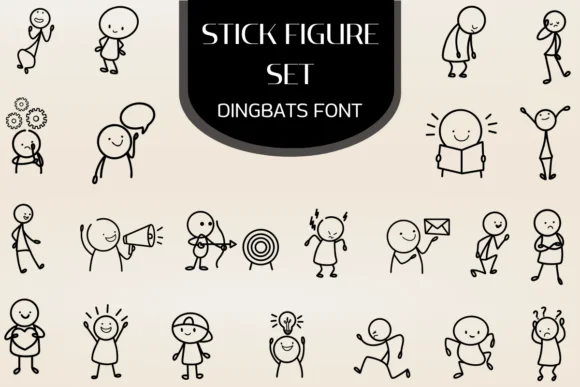
This font captures the energy of human movement and emotion rendered in its most playful form. Heartcraft Atelier created Stick Figure Set, a dingbats collection where each keyboard keystroke transforms into a hand-drawn character caught mid-action.
You get over 20 distinct figures showing everything from concentrated thinking (complete with gears) to energetic running, celebration, and intense focus. Each character scales cleanly across documents, slides, and layouts without any pixelation or distortion. Teachers use it for building educational worksheets and step-by-step instructional diagrams where visual clarity matters. Social media creators layer it into Instagram Stories, TikTok captions, and carousel posts to inject personality into narrative content. Custom planner designers embed these figures as visual dividers, mood trackers, and activity icons throughout their layouts. Even corporate teams turn to it for conversation-starting graphics in presentation decks, internal training materials, and onboarding guides.
Since Stick Figure Set carries so much personality on its own, pair it with a neutral sans-serif like Poppins or Inter for any accompanying body text. That way the dingbats stay the focus while your copy remains readable. Find it on Creative Fabrica and start building with these expressive little characters.
Style & Use Cases
- Overall Style
- Iconographic, Fonts
- Use Case
- Icons, Accents
- Ideal For
- ornaments, bullets, and decorative flourishes
- Pairs With
- any text font
How to Install Stick Figure Set Font
Step-by-step instructions for every platform
- 1Download the Stick Figure Set font file (.ttf or .otf).
- 2Locate the downloaded file in your Downloads folder.
- 3Right-click the font file.
- 4Select "Install" to install for the current user, or "Install for all users" to make it available system-wide.
- 5Stick Figure Set is now available in Word, Photoshop, Illustrator, and all other apps.
More by Heartcraft Atelier
View all →



Browse fonts by theme
Curated collections →Saw a font in a picture? Identify any font from an image with our free Font Finder.
More Dingbats Fonts
Browse all →







What pairs well with Stick Figure Set Font?
Stick Figure Set Font is a versatile dingbats font that works for both headings and body text. Pair it with a contrasting sans-serif or serif font to add visual interest and a clear distinction between titles and body copy.




Stick Figure Set Font
Reviewed by the FontBoxDL team · Updated June 2026