 Firefox
 1 / 5
1 / 5About STEAMSHIP JNL Font
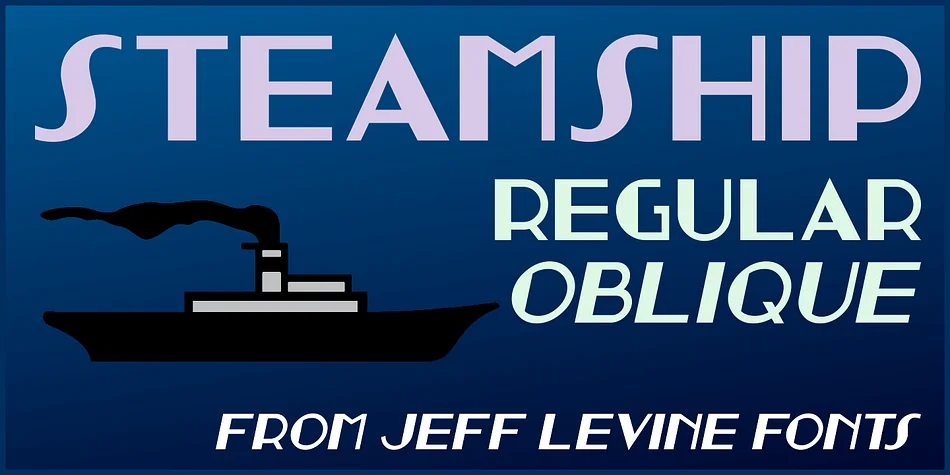
Steamship JNL by Jeff Levine Fonts draws its character from a 1930s storefront sign spotted in archival film footage of New York City. The design captures that era's sleek, geometric sensibility, making it a solid choice for projects that need authentic vintage appeal without falling into pastiche territory.
This typeface works beautifully for vintage cruise line branding, retro restaurant menus, art deco poster designs, and nostalgic hotel signage. If you're building a speakeasy-era identity or designing packaging for old-school confectionery brands, the letterforms deliver genuine period authenticity. The geometric construction keeps it legible at smaller sizes, though it truly shines when given room to breathe in headlines and display applications. The forms maintain a sophisticated restraint that keeps them from ever feeling cartoonish or overwrought.
Steamship JNL comes in both regular and oblique versions, giving you flexibility in how you layer it into layouts. The oblique cuts a more dynamic figure for accent work while the regular weight provides stable, authoritative presence. Designers working on retro entertainment posters, vintage travel collateral, or art deco-inspired book covers will find the geometric precision and period character exactly what they need. Get it from Creative Fabrica and add it to your decorative typeface rotation.
Style & Use Cases
- Overall Style
- Bold, Distinctive
- Use Case
- Headlines, Posters
- Ideal For
- logos, packaging, and standout titles
- Pairs With
- a neutral sans-serif
How to Install STEAMSHIP JNL Font
Step-by-step instructions for every platform
- 1Download the STEAMSHIP JNL font file (.ttf or .otf).
- 2Locate the downloaded file in your Downloads folder.
- 3Right-click the font file.
- 4Select "Install" to install for the current user, or "Install for all users" to make it available system-wide.
- 5STEAMSHIP JNL is now available in Word, Photoshop, Illustrator, and all other apps.
More by Jeff Levine Fonts
View all →



Browse fonts by theme
Curated collections →Saw a font in a picture? Identify any font from an image with our free Font Finder.
More Decorative Fonts
Browse all →







What pairs well with STEAMSHIP JNL Font?
STEAMSHIP JNL Font is a decorative font that shines as a display or heading face. Pair it with a clean sans-serif or serif font for body text — the contrast creates a clear hierarchy while the two styles stay balanced and easy to read.




STEAMSHIP JNL Font
Reviewed by the FontBoxDL team · Updated June 2026