
 1 / 7
1 / 7About Social Networks Icons Font
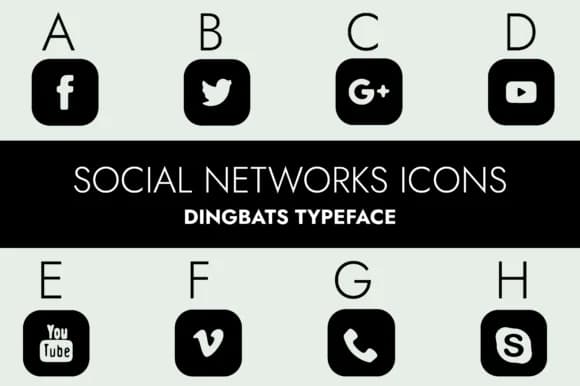
Minimal yet purposeful. Social Networks Icons by Minimalistartstudio delivers a complete set of social media symbols rendered with clean, even strokes and carefully matched weights across every character in the set.
This typeface excels when you're building email signature headers, business card social corner accents, website footer navigation rows, Instagram Stories branding treatments, or blog sidebar social link lists. Since it works as a dingbats font, each keystroke generates the corresponding platform icon, which you then size, position, and color directly within your design software without hunting for external PNG files or vector graphic downloads. The consistent stroke weight keeps your icon system feeling intentional and cohesive, making it ideal for building unified visual systems across multiple touchpoints. Because the line work is minimal, these symbols work just as well in sleek contemporary layouts as they do in traditional print design, editorial applications, or luxury brand systems where restraint and precision signal quality over decoration.
Combine this with a neutral, geometric sans-serif like Montserrat or Proxima Nova for supporting text, giving each icon the space it needs to breathe and command visual attention. Find it on Creative Fabrica and add icons to your design arsenal that feel thoughtful rather than generic.
Style & Use Cases
- Overall Style
- Iconographic, Social
- Use Case
- Icons, Accents
- Ideal For
- ornaments, bullets, and decorative flourishes
- Pairs With
- any text font
How to Install Social Networks Icons Font
Step-by-step instructions for every platform
- 1Download the Social Networks Icons font file (.ttf or .otf).
- 2Locate the downloaded file in your Downloads folder.
- 3Right-click the font file.
- 4Select "Install" to install for the current user, or "Install for all users" to make it available system-wide.
- 5Social Networks Icons is now available in Word, Photoshop, Illustrator, and all other apps.
More by Minimalistartstudio
View all →



Browse fonts by theme
Curated collections →Saw a font in a picture? Identify any font from an image with our free Font Finder.
More Dingbats Fonts
Browse all →







What pairs well with Social Networks Icons Font?
Social Networks Icons Font is a versatile dingbats font that works for both headings and body text. Pair it with a contrasting sans-serif or serif font to add visual interest and a clear distinction between titles and body copy.



Social Networks Icons Font
Reviewed by the FontBoxDL team · Updated July 2026